
 ERP & Business Software
Integrate Microsoft 365 into your software
Most teams work in Outlook and Teams. With the Microsoft Graph API, we bring emails, appointments and files to where the actual work happens: into your business application, with sign-in through the existing Microsoft account.
Microsoft 365 brings together Outlook, Calendar, Teams and SharePoint, and the Microsoft Graph API makes this data accessible to your own applications.
Data flow
How Microsoft 365 fits into your processes
- Outlook
- Microsoft Graph
- Your software
- Case
- Team
Use cases
What we build with Microsoft 365
Shared inboxes
Handle emails as a team, attachments filed automatically in the record.
Calendar
Appointments and deadlines from the industry software in your Outlook calendar.
Sign-in
Single sign-on with your organization's Microsoft account.
AI in the inbox
Suggested replies and assignment of incoming emails to cases.
Typical projects
Why companies bring us in
- 01
Emails for the case
- Starting point
- An administration team handles requests in Outlook and files attachments by hand in the industry software.
- Solution
- Via Microsoft Graph, emails appear directly in the platform and are assigned to cases.
- Result
- The team sees correspondence and the file in one place.
- 02
Appointments from the platform
- Starting point
- Appointments are scheduled in the industry software and also added to the calendar.
- Solution
- The platform writes appointments to the participants' Outlook calendars via the Graph API.
- Result
- Calendar and industry software show the same status.
- 03
Notification in Teams
- Starting point
- Important events in the industry software get lost in the inbox.
- Solution
- The platform sends notices to a Teams channel via Microsoft Graph.
- Result
- The team notices new cases where it already works.
From practice
Microsoft 365 in our projects
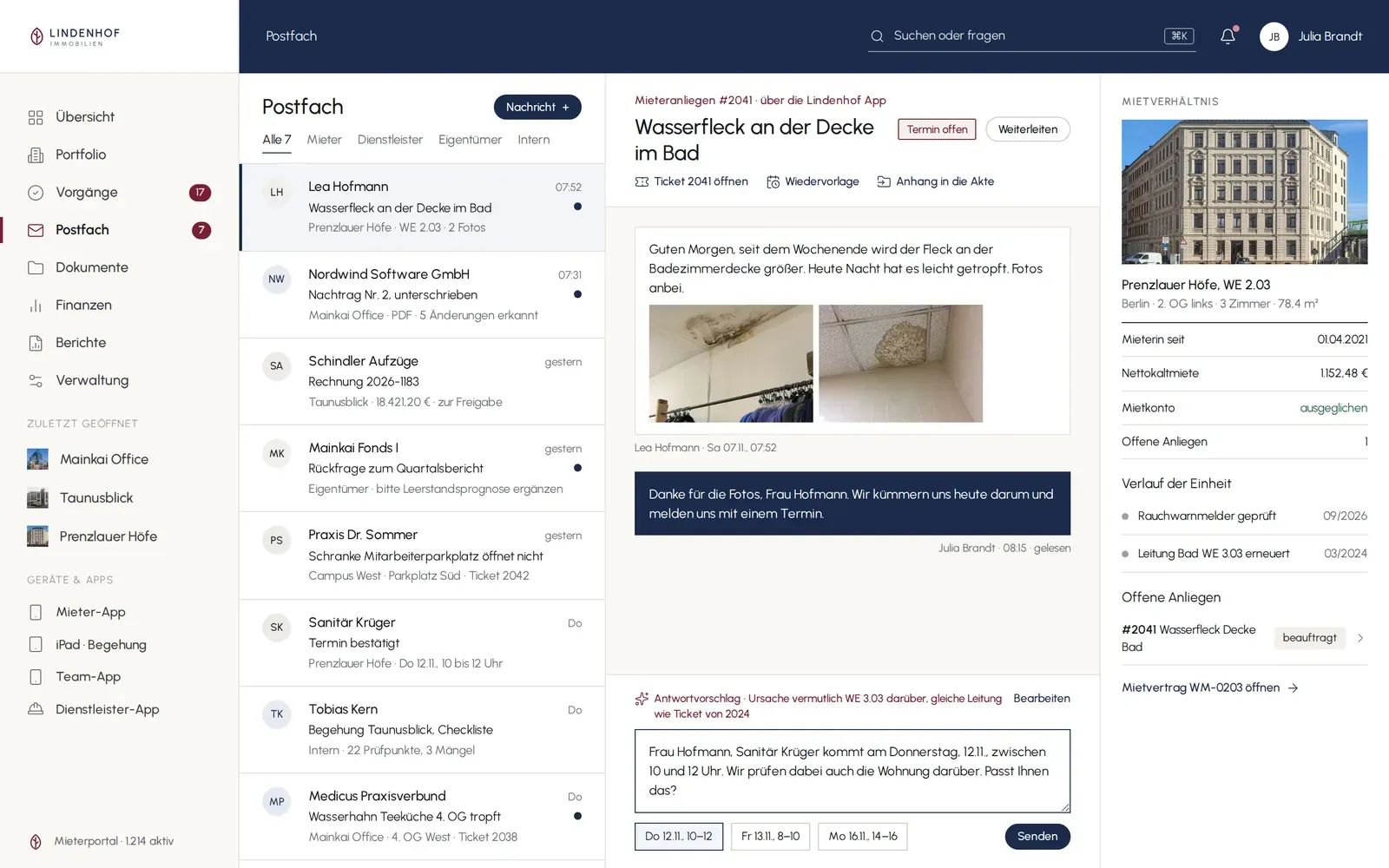
- Email, calendar and Teams in a property management platform, connected via Microsoft Graph.
Approach
How we introduce Microsoft 365
- 1
Clarify permissions
Which data the application may see, agreed with your IT team.
- 2
Set up sign-in
App registration, OAuth and roles in your Microsoft tenant.
- 3
Build the integration
Connect email, calendar or Teams and test with real mailboxes.
- 4
Operations
Monitoring the connection and adapting to API changes.
Result
What you get from us
- App registration in your Microsoft tenant with documented permissions
- Sign-in with your organization's Microsoft account
- Integration of mail, calendar or Teams via the Graph API
- Secure storage and renewal of access tokens
- Error handling for throttling and expired permissions
- Operations documentation for your IT
// accessToken stammt aus der Anmeldung über MSAL
const res = await fetch(
"https://graph.microsoft.com/v1.0/me/mailFolders/inbox/messages" +
"?$top=10&$select=subject,from,receivedDateTime&$orderby=receivedDateTime desc",
{ headers: { Authorization: "Bearer " + accessToken } }
);
if (!res.ok) throw new Error("Graph-Fehler: " + res.status);
const { value: messages } = await res.json();
for (const m of messages) {
console.log(m.receivedDateTime, m.from?.emailAddress?.address, m.subject);
}
Quality
What we watch for with Microsoft 365
- 1
Least privilege
We request only the Graph permissions the use case actually needs.
- 2
Delegated or application
Whether the app accesses data on behalf of a user or as a service, we clarify with your IT in advance.
- 3
Respect rate limits
We handle responses with status 429 by waiting as specified in the Retry-After header.
- 4
Subscribe to changes
Instead of constant polling, we use change notifications or delta queries where possible.
- 5
Store tokens securely
Access and refresh tokens are stored encrypted and never in the frontend.

Microsoft 365
Common questions
Tap a question.