
Reading app for iPhone and iPad
 Superreader
 brings your books, PDFs and notes into a calm reading space. Read normally page by page, or have the words appear one after another in a fixed spot, at your pace.
On the App StoreFree on the App Store in Germany, for iPhone and iPad with iOS 17 or later. The current version is 1.1.0. Features marked as development build 1.1.1 will follow in a later update.
Operator: RMB Networking UG (haftungsbeschränkt)
- 250Classics preinstalled, 125 each in German and English
- 5.000new words per day for free
- 100–700Words per minute in focus mode
- 0Accounts, ads, or analytics SDKs
Walkthrough
A reading space for everything you read
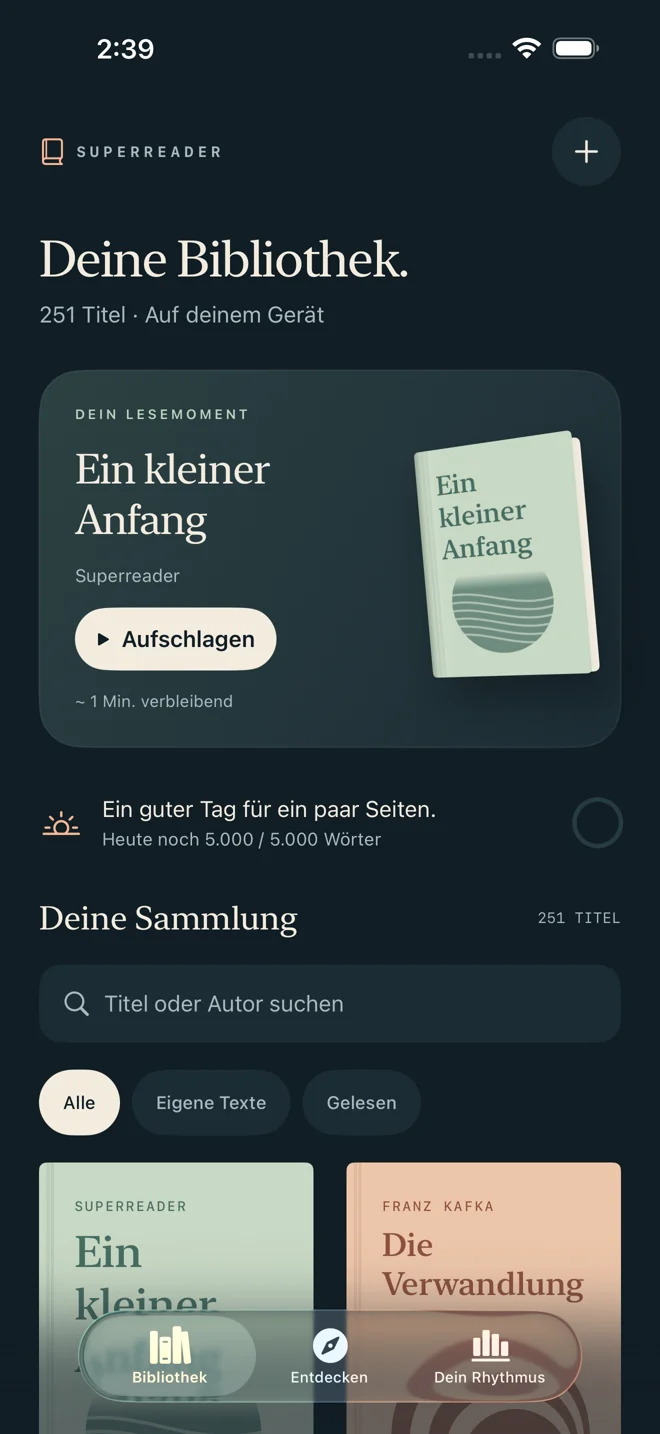
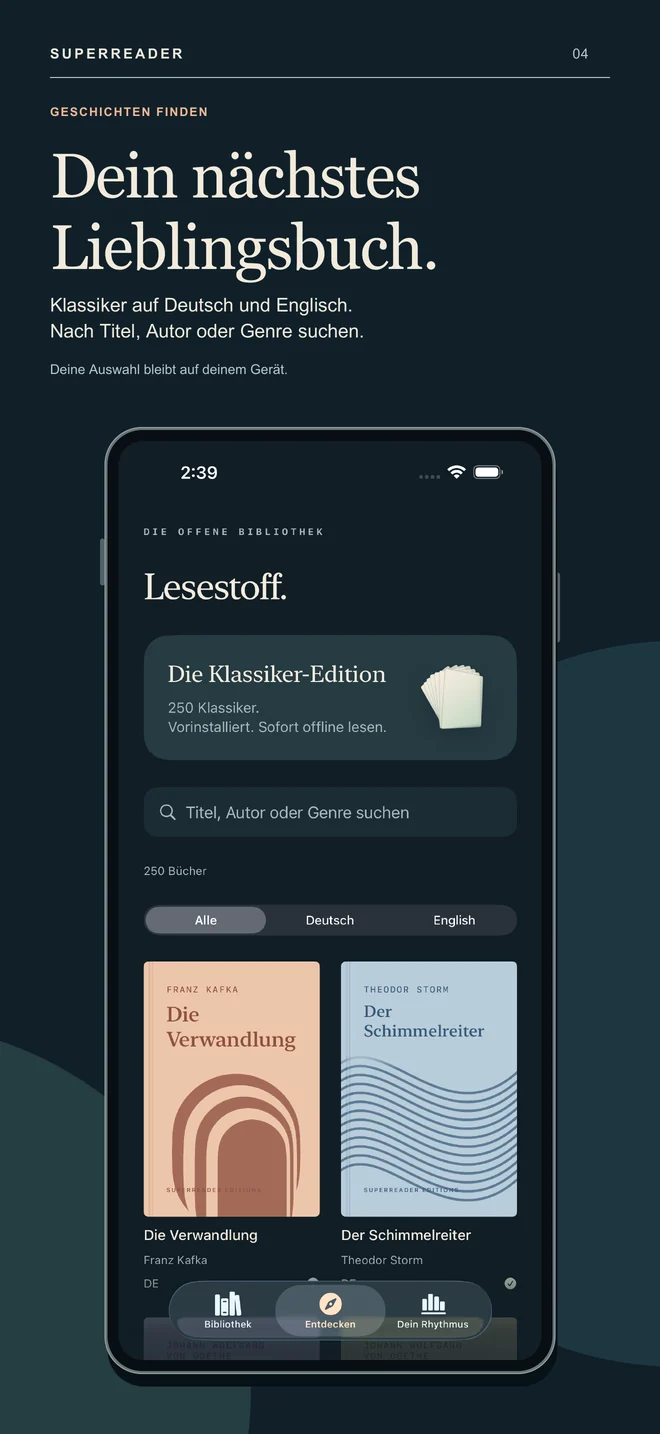
Classics and your own texts in one place
250 classics come preinstalled and readable offline, half in German and half in English. Your own files come on top. The reading moment at the top takes you back to where you left off with a single tap.
- DRM-free EPUBs, PDFs, TXT and RTF
- Pasted texts
- Search by title and author
Word by word in a fixed spot
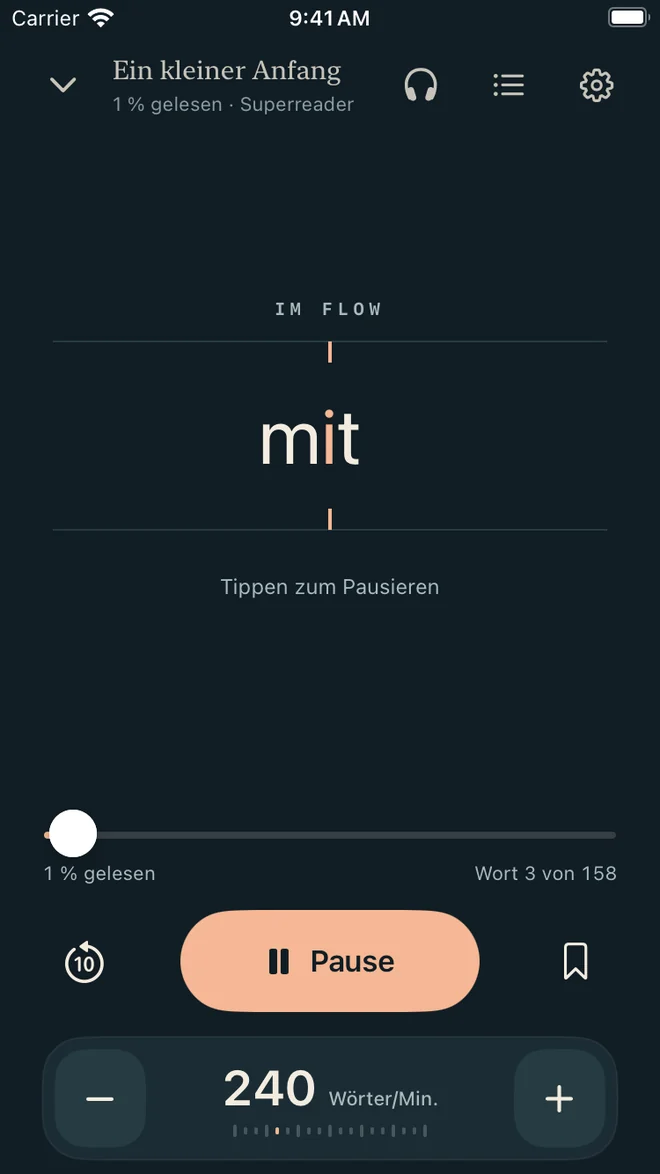
Words appear one after another, with a colored letter to anchor your eyes. You set the pace between 100 and 700 words per minute, and a tap pauses. Whether this makes reading faster or better depends on the text, practice and pace.
- Adjust speed anytime
- Jump back a few words
- Long words in readable chunks
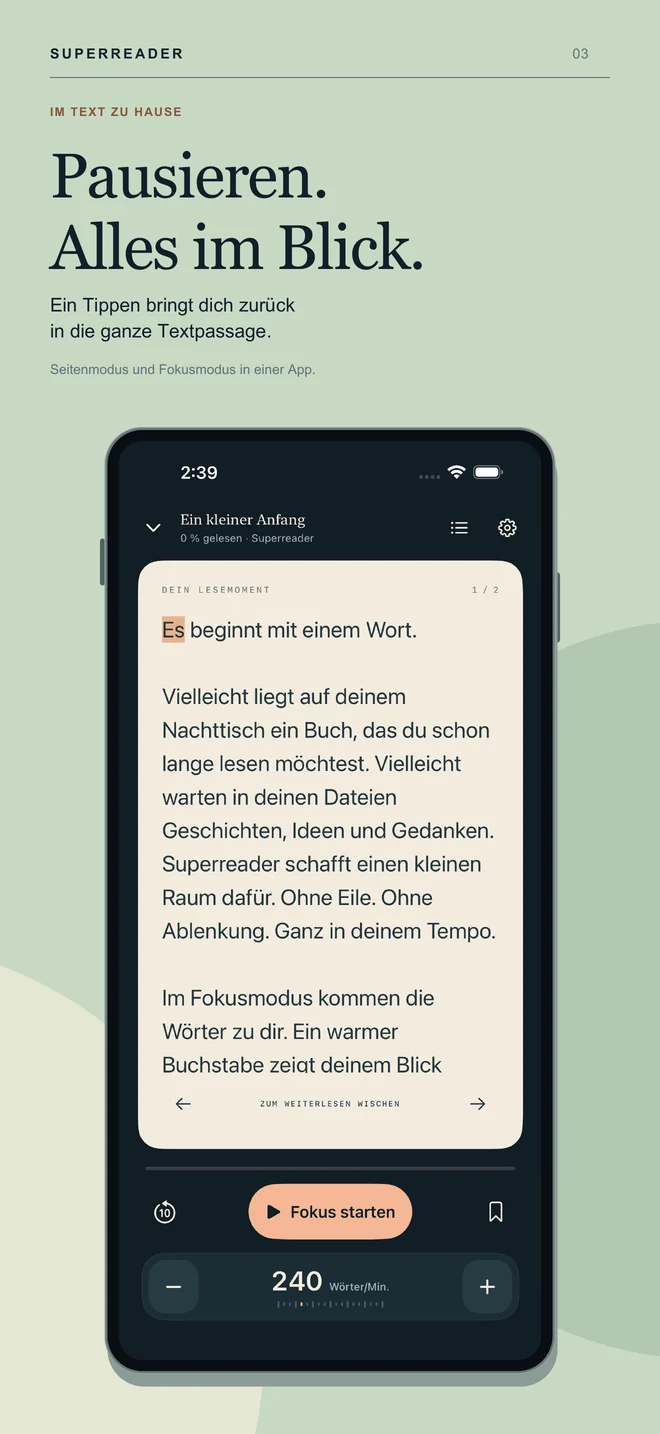
One tap, and the context is back
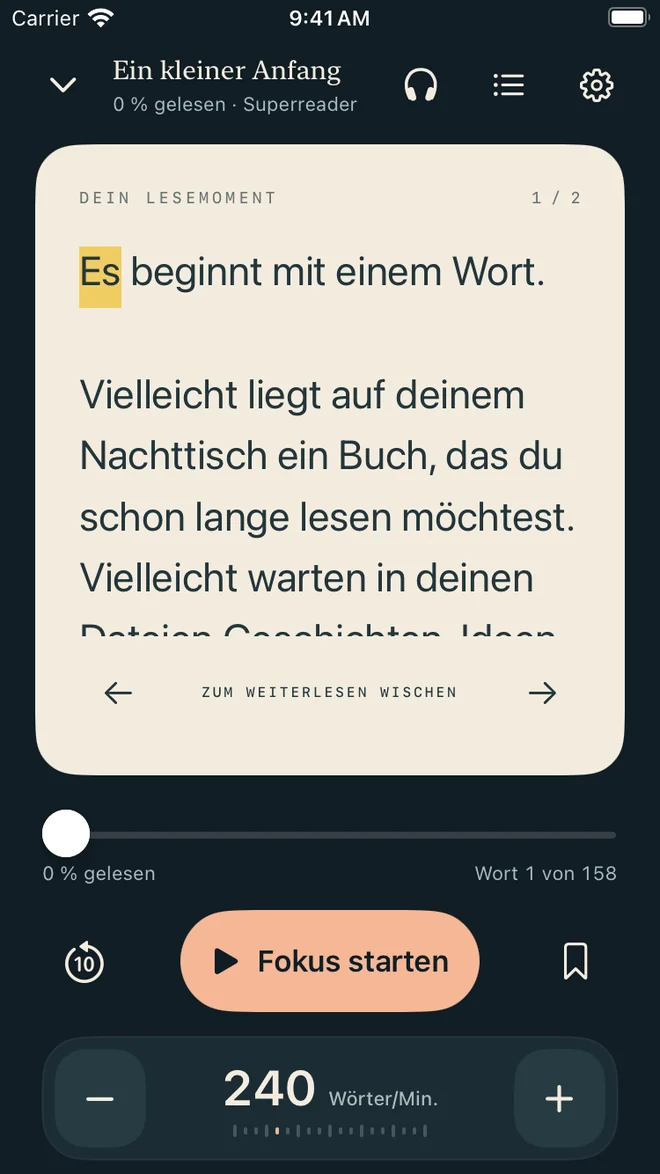
When you pause focus mode, the passage appears as a normal page with your current place highlighted. You can just as well read the classic way, page by page. For VoiceOver, page mode is the right choice.
- Highlighted place in the text
- Swipe to keep reading
- Bookmarks and reading progress
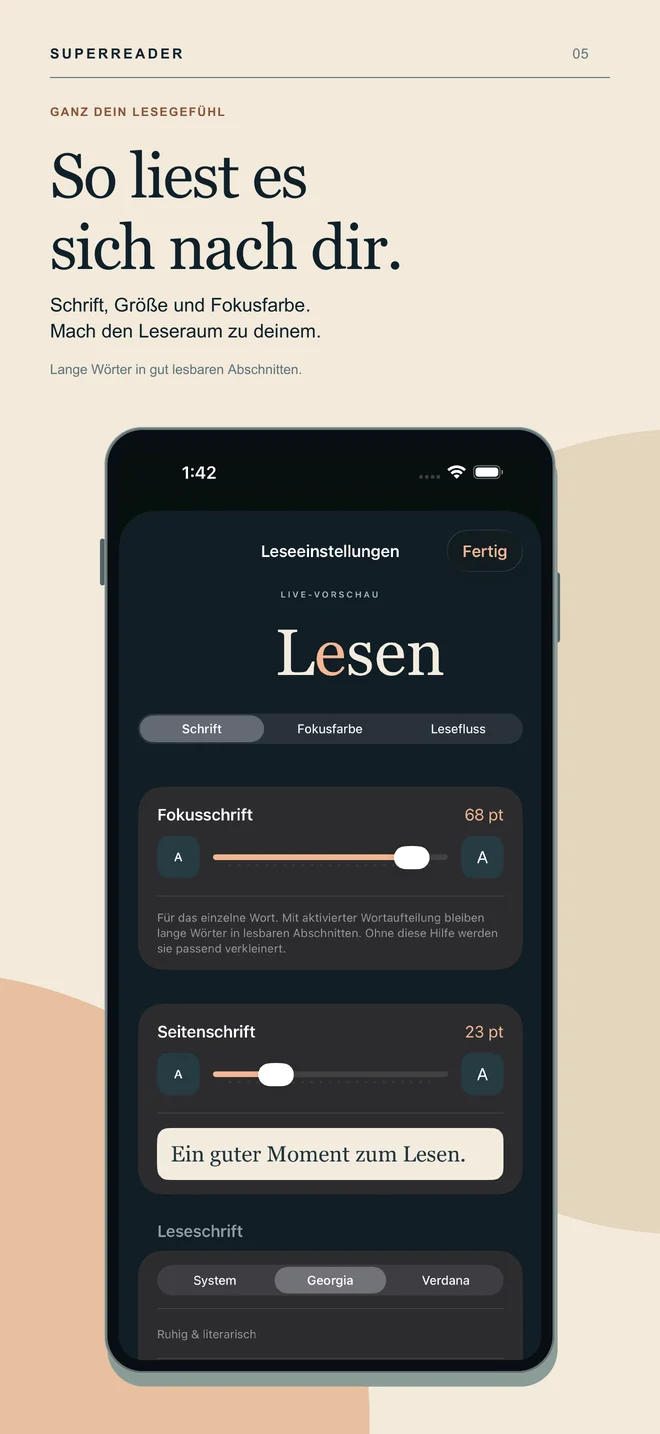
Font, size and color to your taste
You adjust focus font, page font, size, accent color and intensity with a live preview. On first launch, a short calibration helps you find a suitable starting pace. It is a guide, not a performance test.
- Live preview
- Word splitting for long words
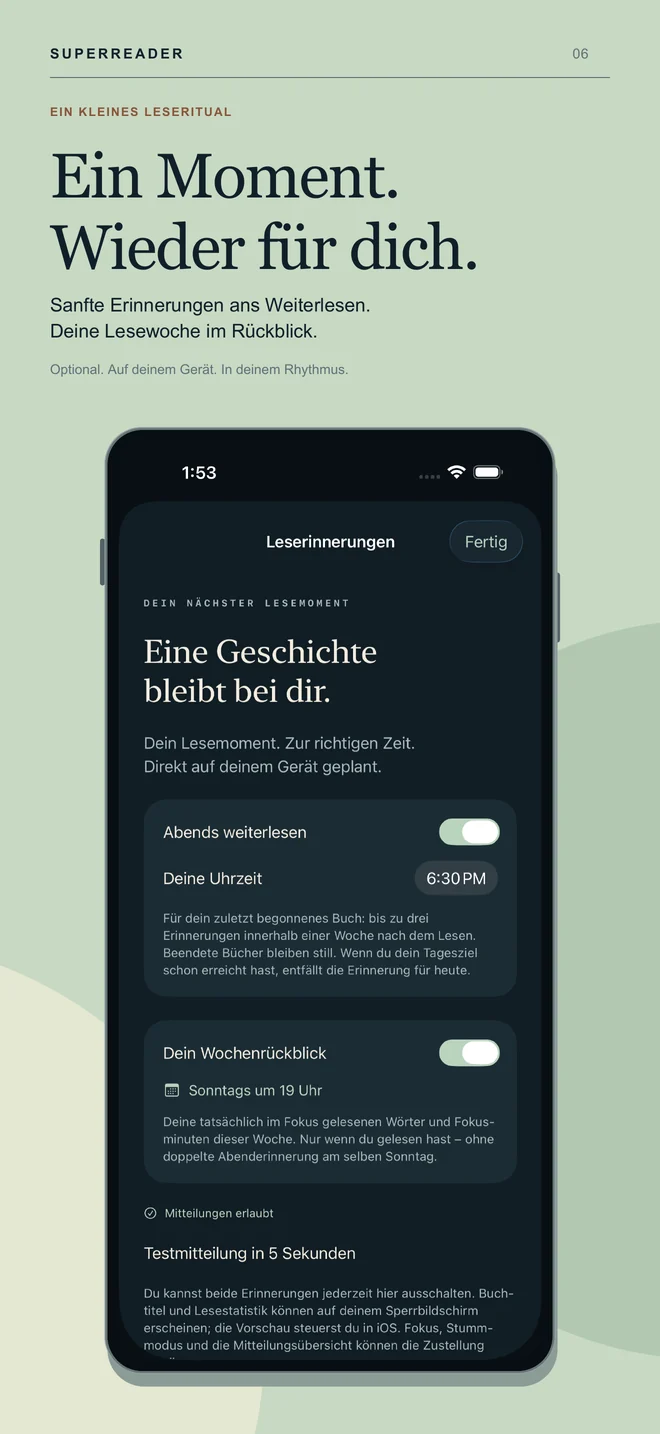
- Optional reminders, off by default
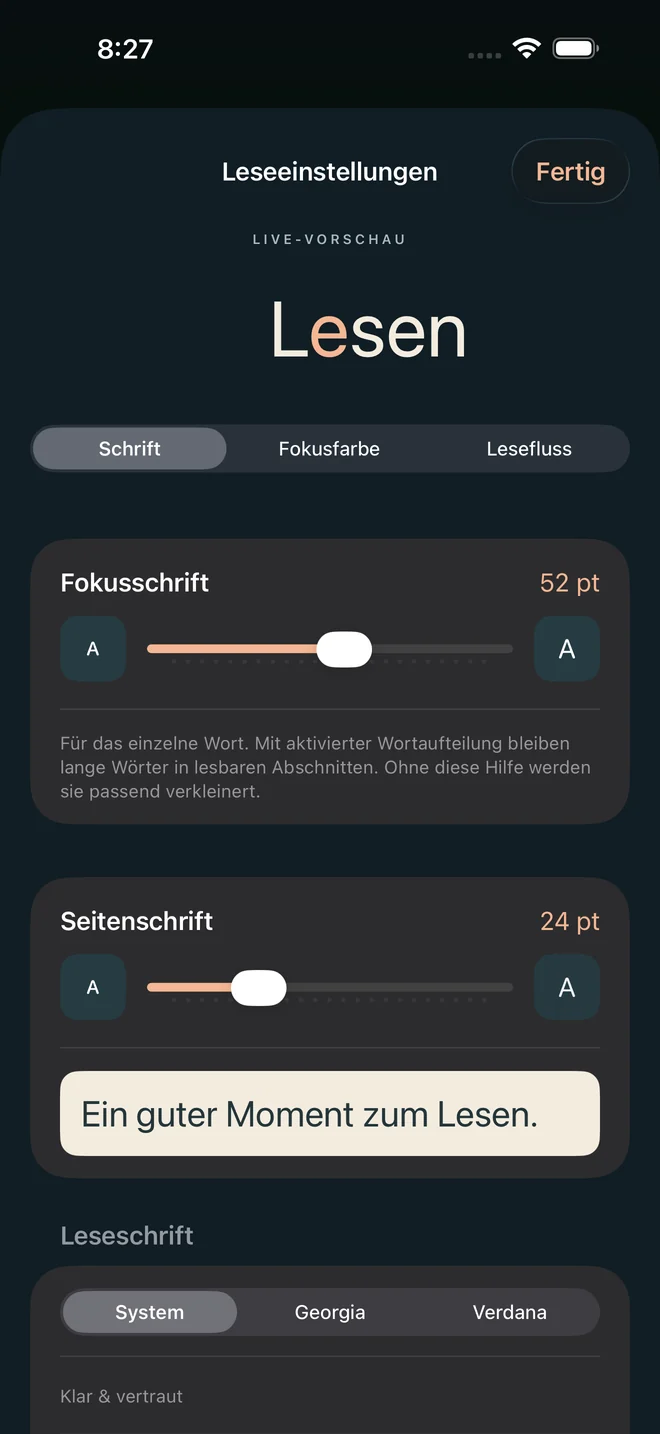
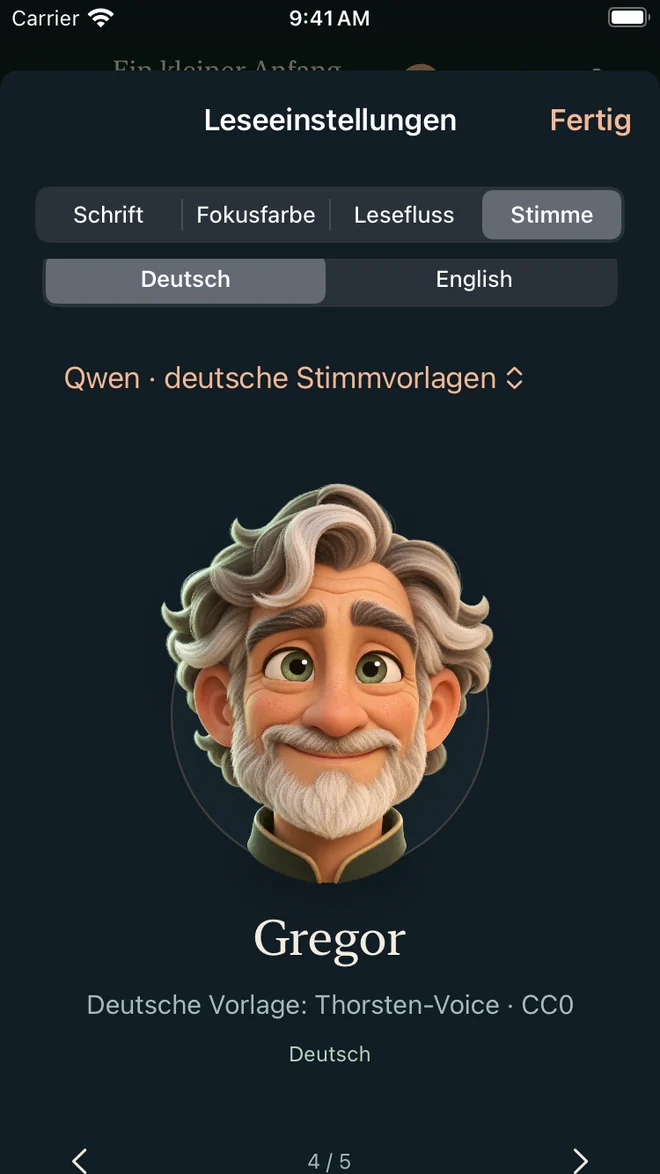
Read-aloud with voices that run on your device
Superreader reads texts aloud using local language models. The book text is not sent to any online speech service. You download models as needed, with five voice profiles available per language. Preparation happens while the app is open, and finished passages also play with the screen locked.
- Six downloadable model packs
- Five voice profiles per language
- Lead time depending on device and model
On the App Store
Superreader in six images
The App Store images show the library, focus, context, discovery, reading feel and reminders.
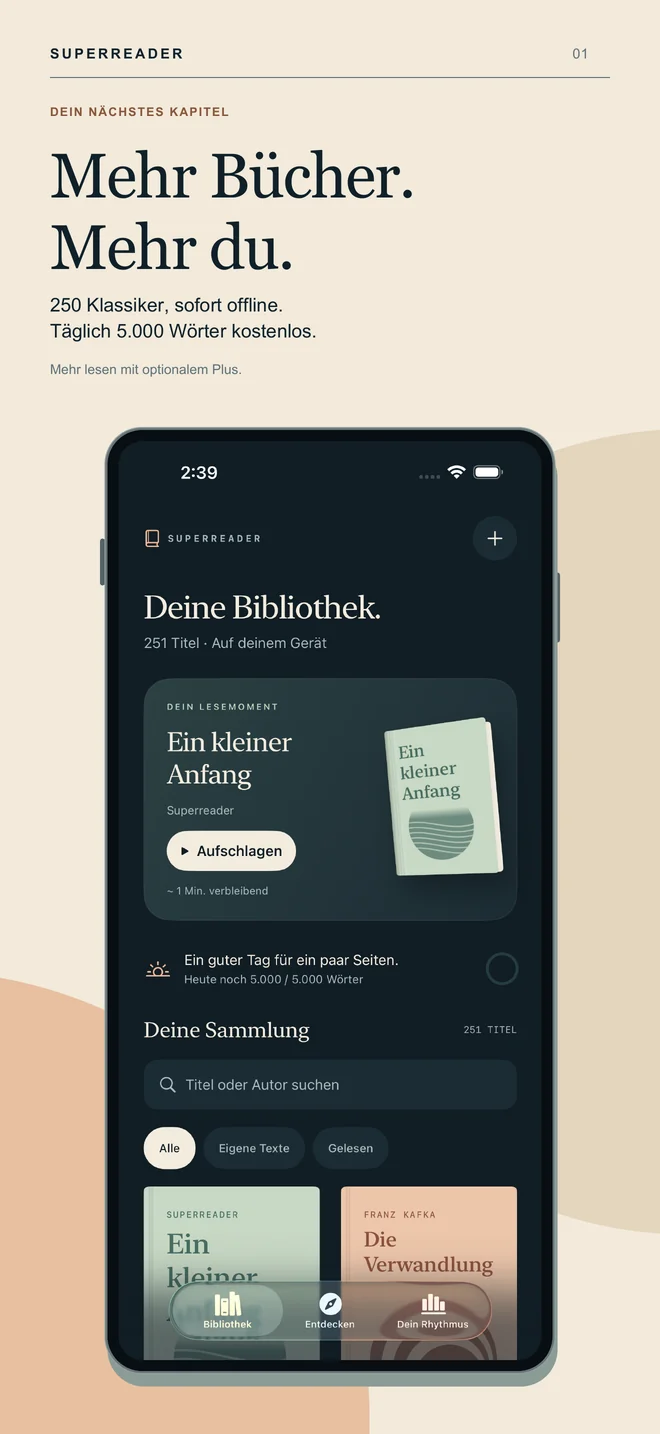
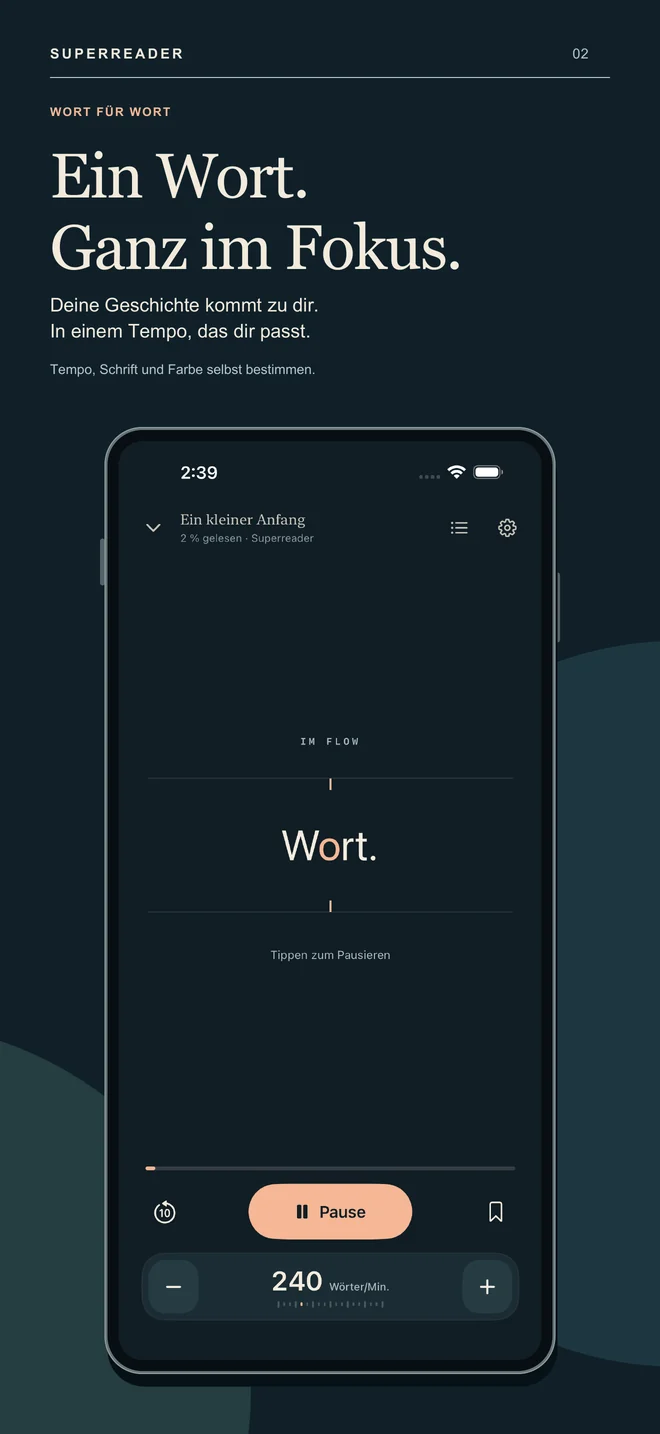
Images with unedited screenshots from the app, without ratings and without promises about reading speed.
Free and Plus
Read for free every day
The daily allowance is shared across page mode, focus and listening. Passages you have already read on the same day do not count twice.
Free
To get started- 5,000 new words per day and device
- Page and focus mode
- Import your own files
- 250 classics preinstalled
- Reading progress and bookmarks
Plus
Monthly, yearly, or one-time- Unlimited reading
- For your own and preinstalled texts
- Purchase and management through your Apple Account
- No Superreader reading account
The download is free. You buy Plus in the app with your Apple Account, and the App Store shows the current prices. Purchases are not possible on super-reader.de.
Getting started
Four steps to your first chapter
- 1
Find your starting speed
A short calibration suggests a pace that you can change at any time.
- 2
Choose a text
Open a classic or import a file of your own.
- 3
Page or focus
Read normally or let the words appear one after another in focus.
- 4
Pause, keep reading
A tap shows the passage. Your reading position and bookmarks stay saved.
Privacy
Your texts stay on your device
Stored locally
Texts, reading progress, bookmarks and statistics stay on your device.
No reading account
You don't need to register with Superreader to read.
No ad profiles
The app contains neither ads nor an analytics SDK.
On-device voices
Text recognition and read-aloud run locally, and the book text is not sent to any speech service.
Features
What Superreader can do
Offline library
250 classics in German and English, around 13.6 million words, readable without a download.
Your own files
DRM-free EPUBs, PDFs, TXT, RTF and pasted text. Copy-protected books from other stores are not supported.
On-device text recognition
Scanned PDFs are recognized locally. With scans and complex layouts, errors in recognition and reading order are possible.
Focus mode
Words one after another in a fixed spot, 100 to 700 words per minute, pause with a tap.
Page mode
Read normally, with your place highlighted, bookmarks, and saved reading progress.
Reading feel
Fonts, size, accent color and intensity with a live preview, plus a calibration for your starting speed.
Listen
Local voices in German and English, with no online speech service. Pronunciation and intonation are not on par with an audiobook narrator.
Statistics and reminders
Reading statistics on your device and optional reminders that are off by default.
No account
No reading account, no ads, no analytics SDK. Reading progress and daily allowance stay on your device.
Who it's for
For everyone who wants to read more
Read classics
Kafka, Storm, and many others available offline right away, in German or English.
Study
Import lecture notes and PDFs and work through them section by section at your own pace.
Your own texts
Paste drafts and notes and read them with fresh eyes.
Listen
Have passages prepared and listen on the go.
- Readers who want to discover classics in the original
- Students with lecture notes, essays, and PDFs
- People with their own longer documents and notes
- Anyone who prefers to listen on the go
Technology
Built for iPhone and iPad
Superreader
Common questions
Tap a question.