
Software for asset and property management
 verwaltung.property
 brings portfolio, cases, building services and finances together in one platform. You choose the modules your team needs and expand later without switching systems.
Operator: RMB Networking UG (haftungsbeschränkt)
- 62Modules, freely combinable
- 8 + coreAreas from management to security
- 5Access: web, iPad, smartphone, service providers, tenants
- DEHosting and AI in Germany
Walkthrough
verwaltung.property in detail
The day starts with what needs deciding
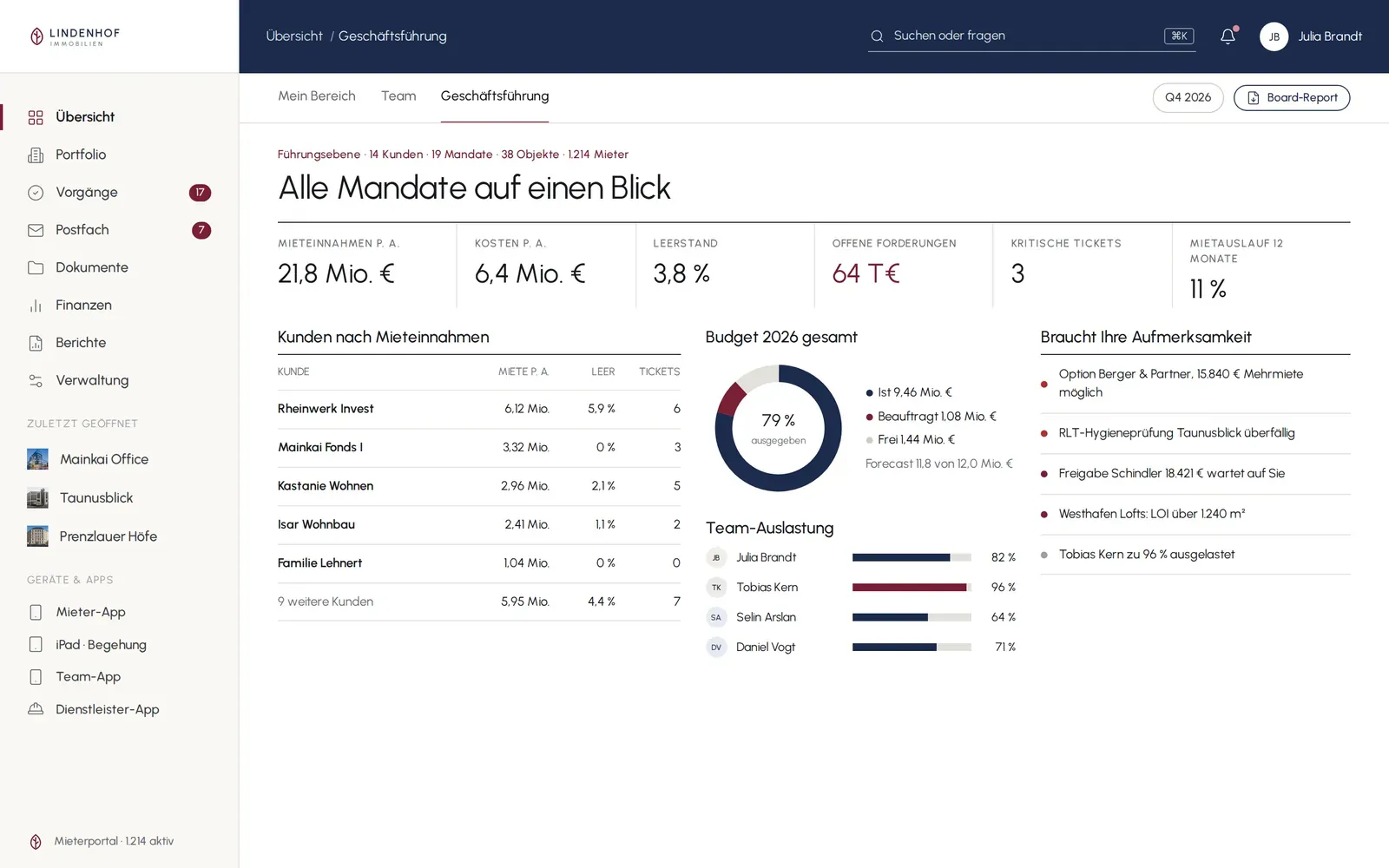
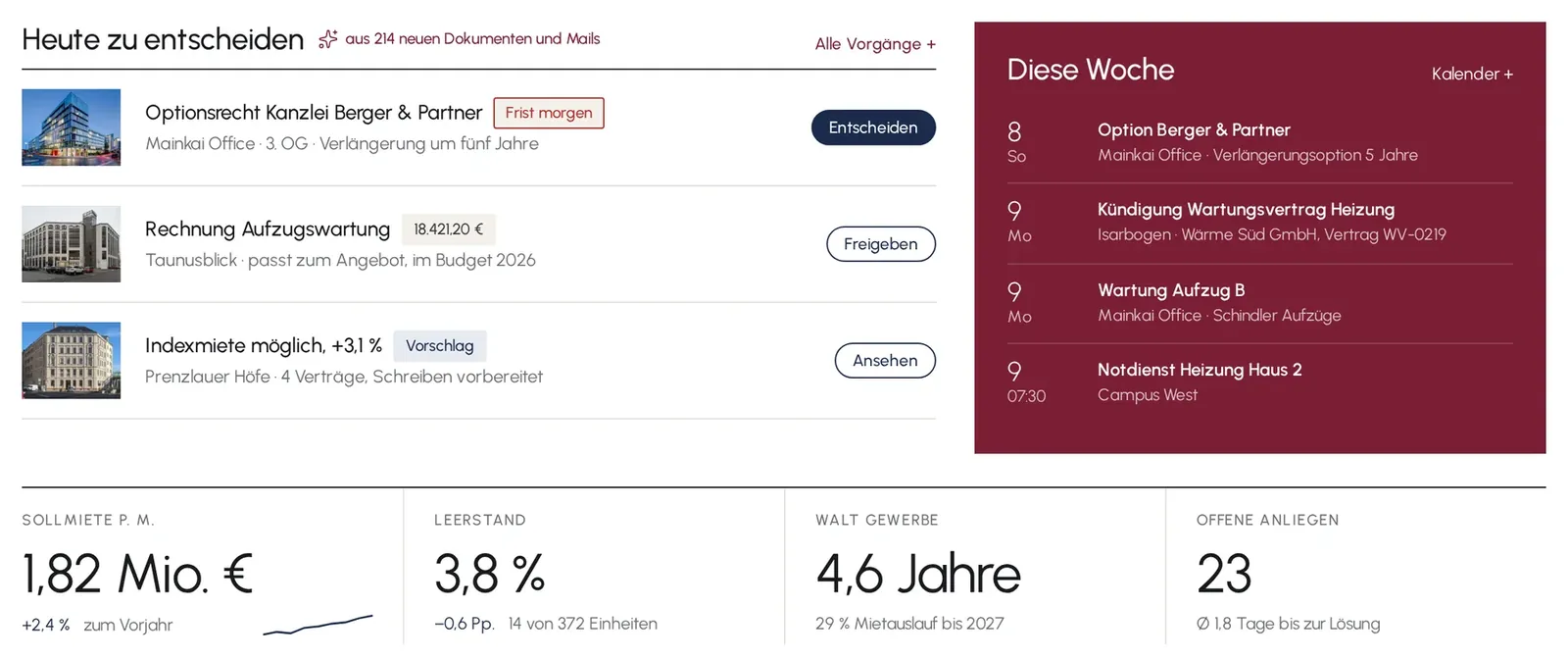
The daily briefing collects what needs a decision today from documents and emails, and shows target rent, vacancy, terms and open requests across all mandates.
- Decisions with one click
- Metrics per mandate
- Weekly calendar with deadlines
Have contracts read, with source references
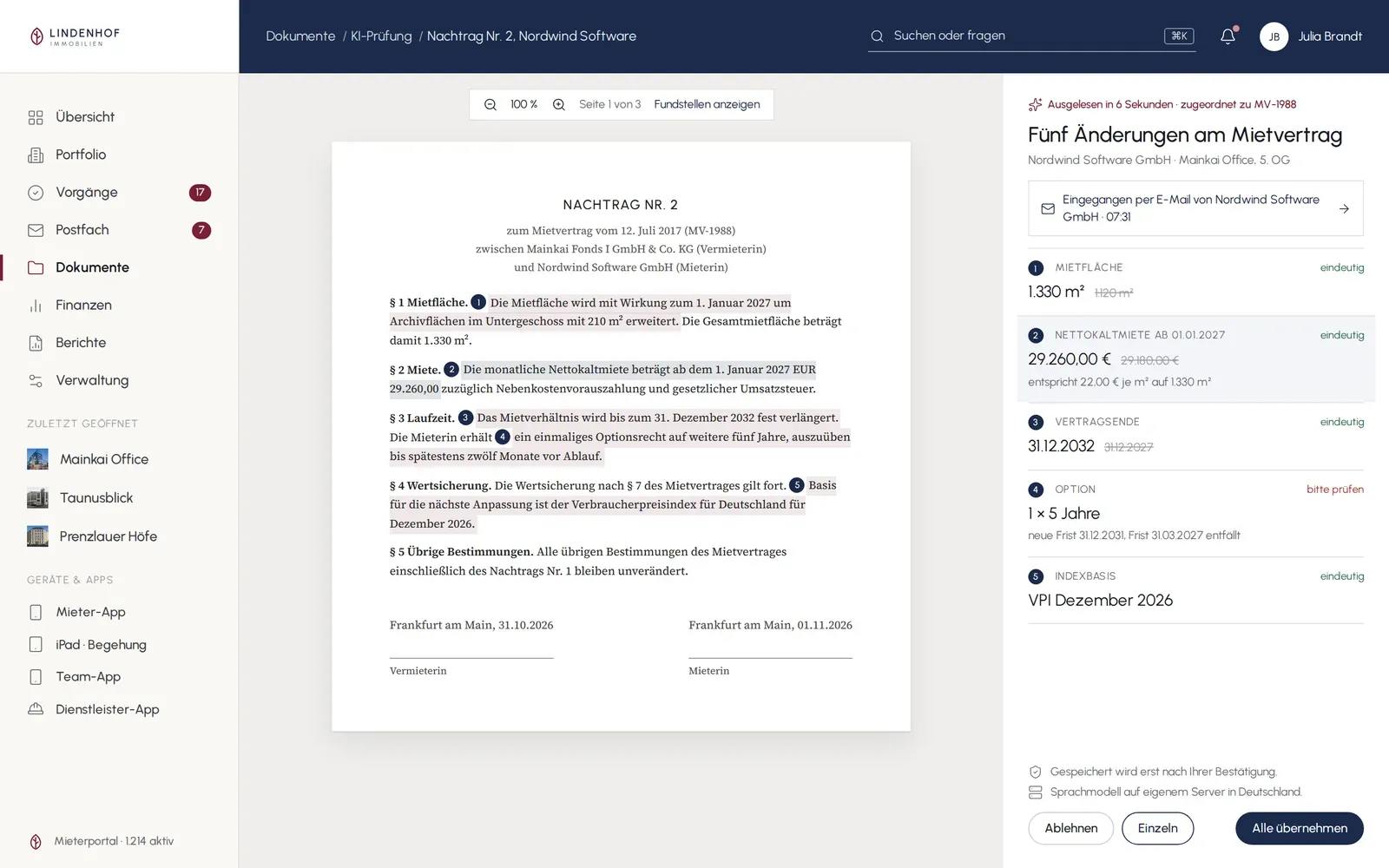
A language model on your own server reads amendments and contracts, marks every change in the document and suggests the new values. Nothing is applied until you confirm.
- Every value with its text passage
- Reject, or accept individually or all
- Model runs in Germany
Every key value with source and review status
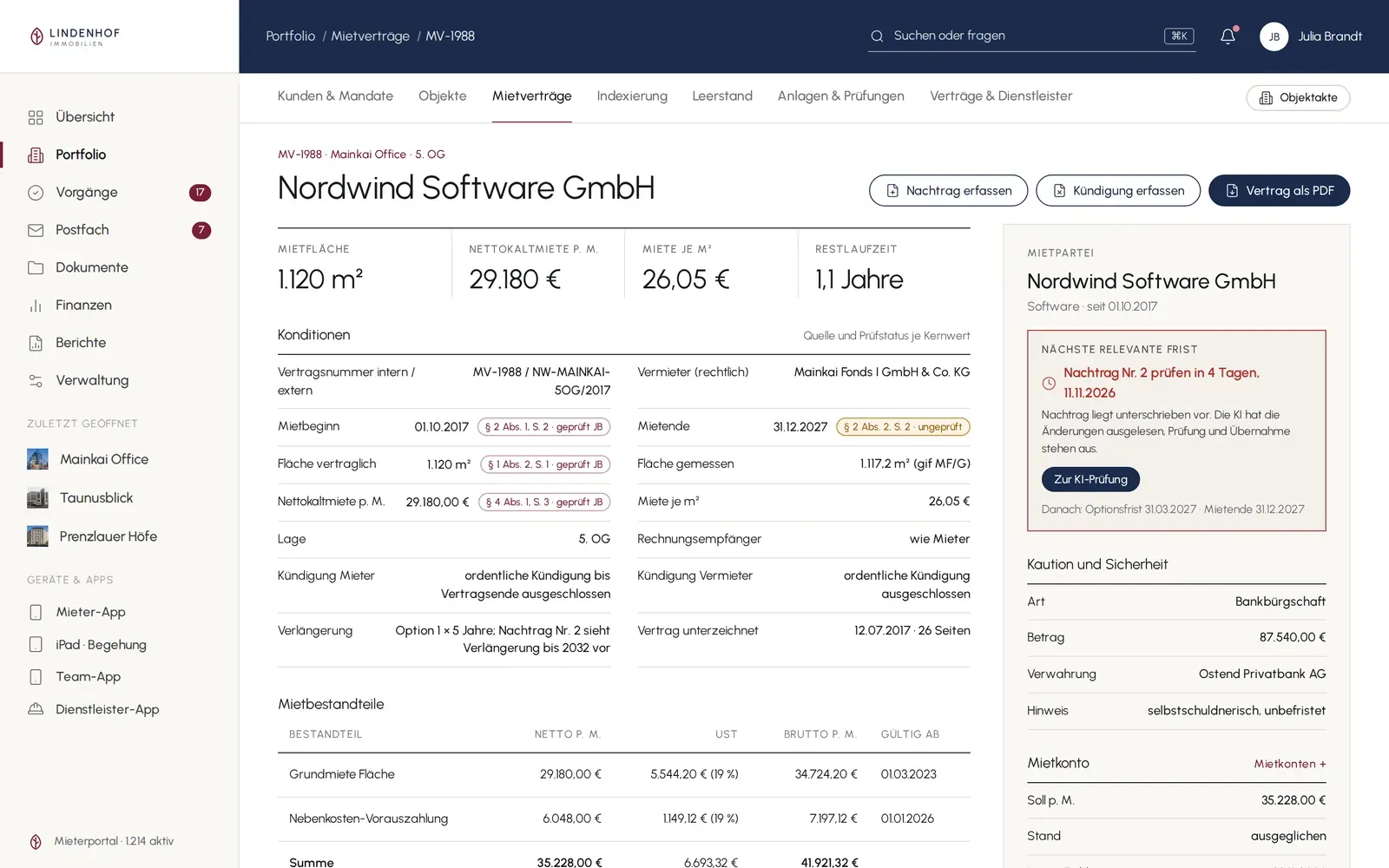
Rental area, rent, term and termination rights appear with section reference and review status in the contract. Discrepancies between contractual and measured area stand out immediately.
- Options and step-ups
- Index-linked rent based on CPI
- Validation status per value
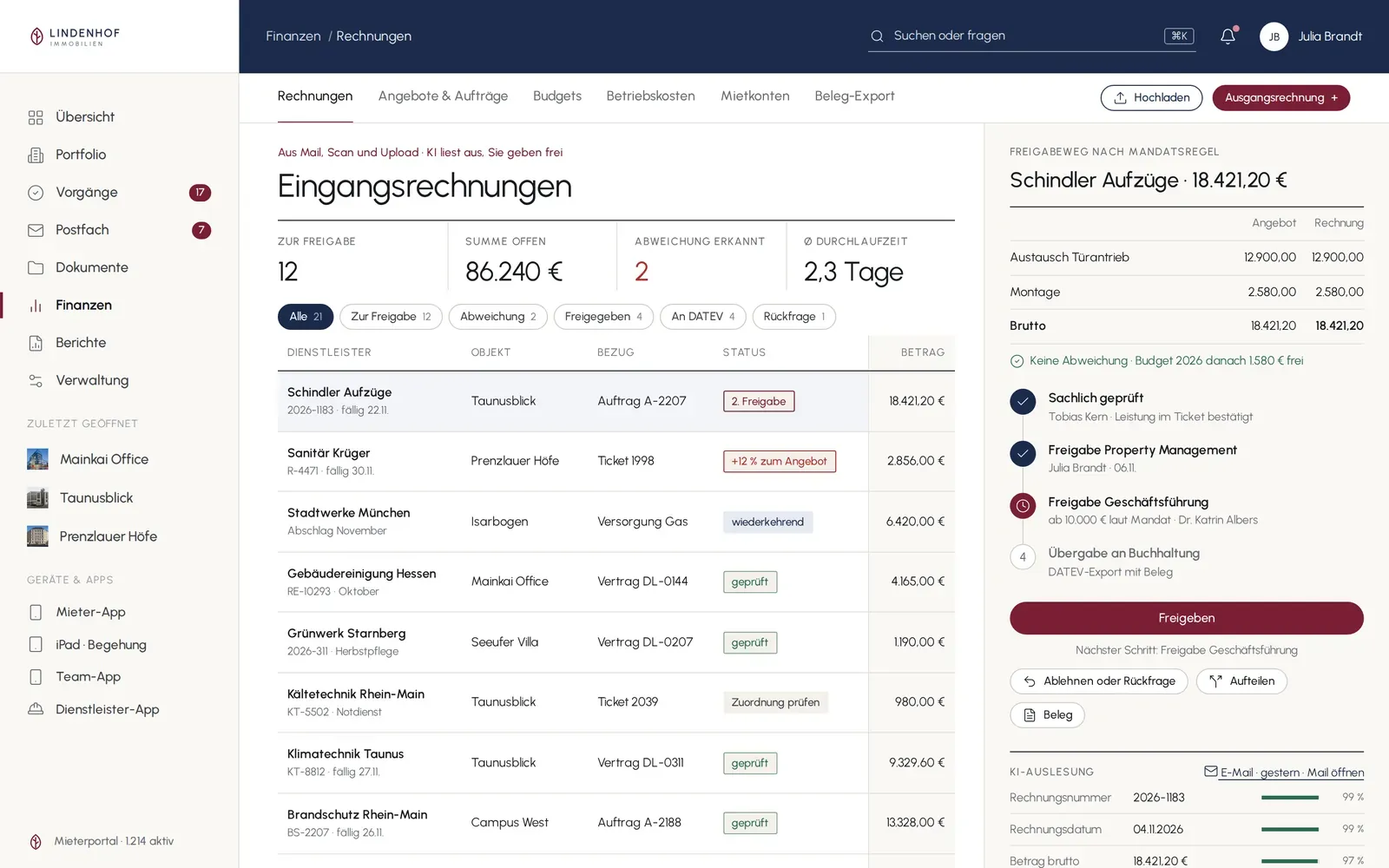
Review invoices before they are paid
Incoming invoices are matched against quote, order and budget. Approval follows the rules of the mandate, and discrepancies are flagged.
- Check against quote and budget
- Approval limits per mandate
- Receipt export for DATEV
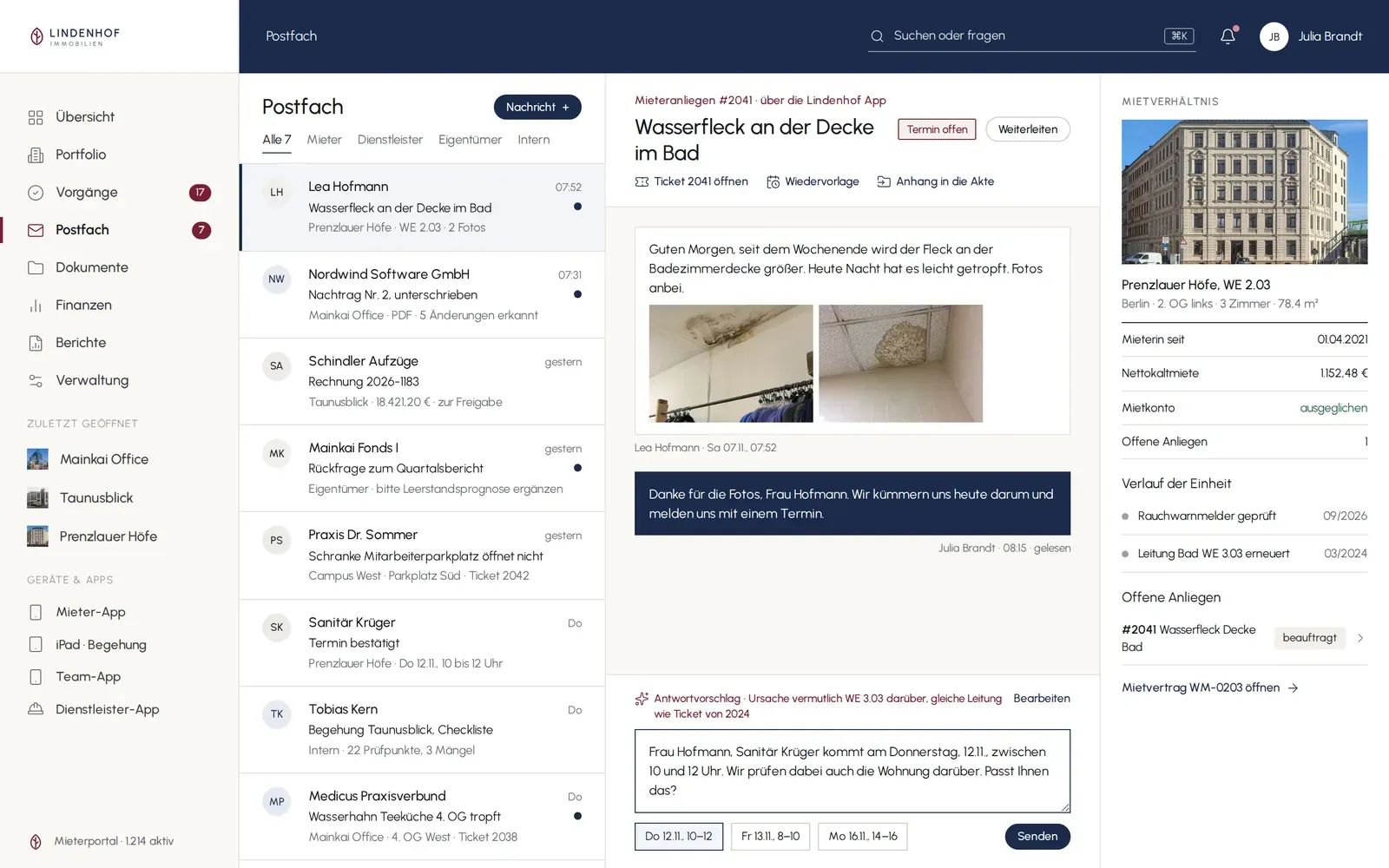
Emails land in the case, not in a pile
The shared inbox assigns messages to tenants, service providers and properties. Reply suggestions know the case, and attachments go into the file.
- Assignment to property and case
- Suggested reply with context
- Ticket from the email
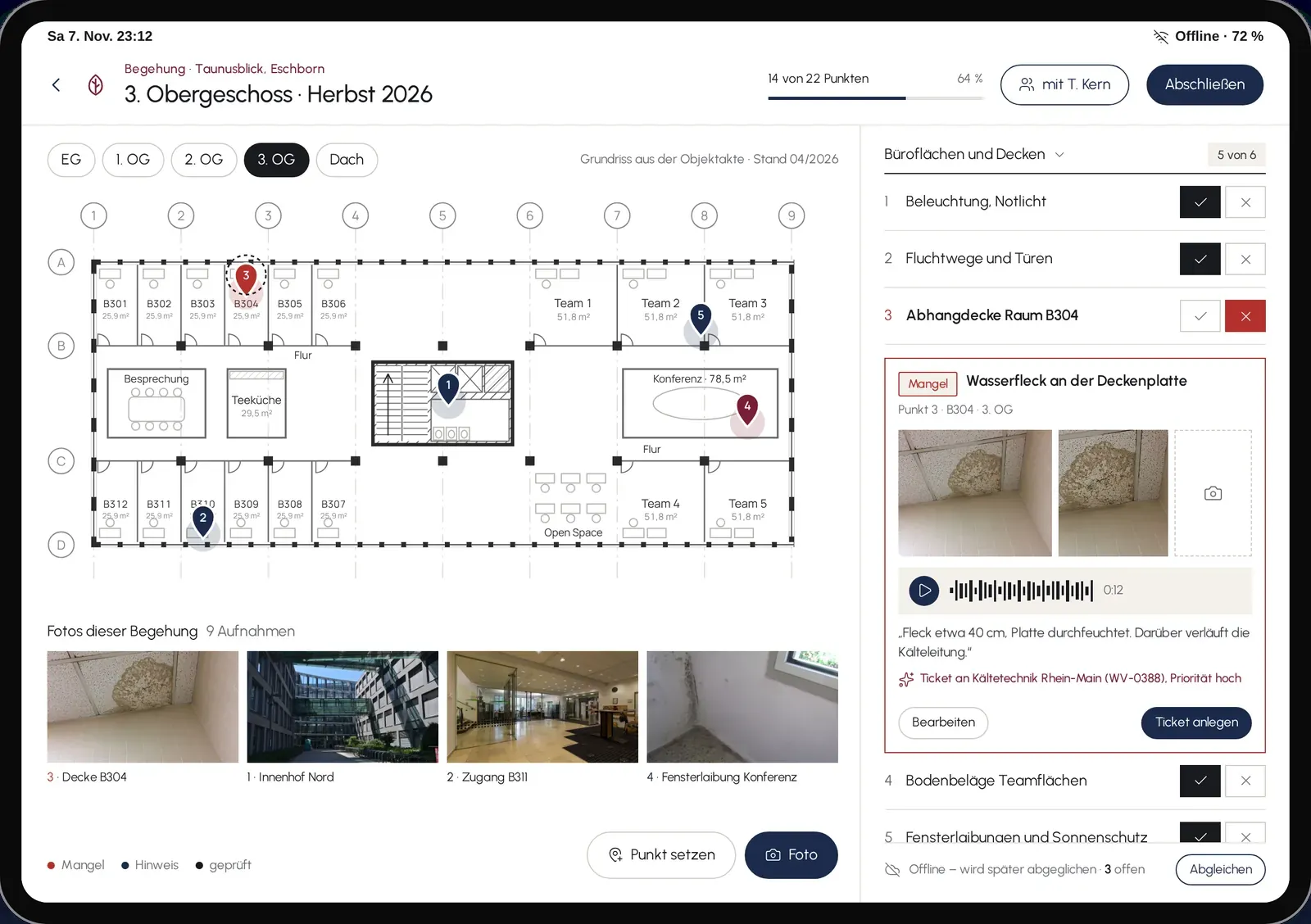
Site inspection on the iPad, directly on the floor plan
Defects are marked on the floor plan, with a photo and voice note. The defect becomes a ticket for the service provider, and the checkpoints remain complete.
- Floor plan from the property file
- Photo and voice note
- Create a ticket directly
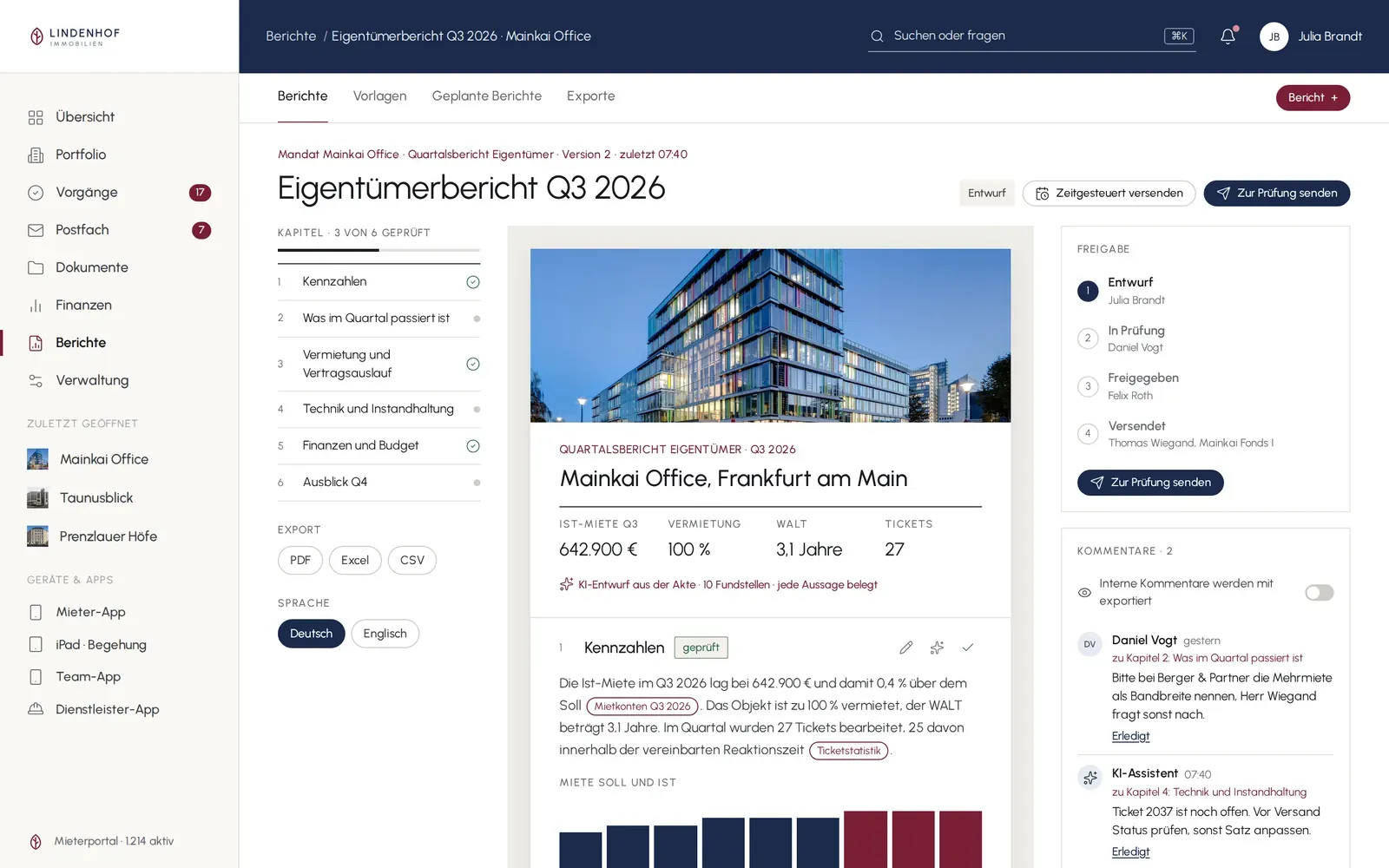
Owner reports that update themselves
Quarterly reports are generated from the data in the system and approved section by section. Comments and versions remain traceable.
- Metrics from the system
- Approval per section
- Export as PDF and Excel
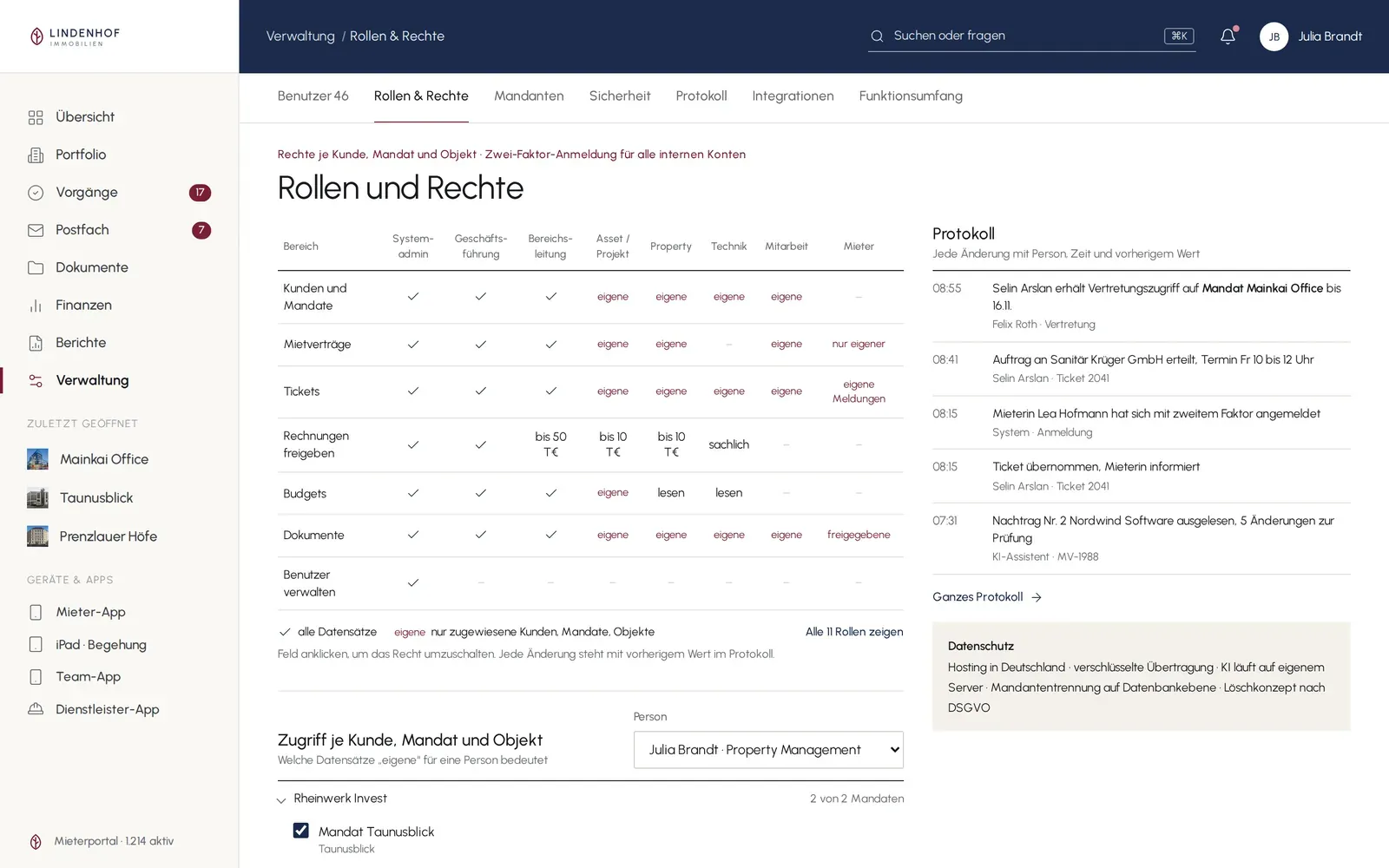
Permissions per client, mandate and property
Who may see and approve what is controlled in detail. Every change is logged, with person, time and previous value.
- Roles and approval limits
- Complete audit trail
- Two-factor authentication
In motion
What the work feels like
Site inspection
Mark a defect on the floor plan, take a photo, create a ticket.
Invoice approval
An invoice from receipt to approval on your phone.
AI review
An amendment is read, every change shown with its source location.
Apps and access
For everyone involved
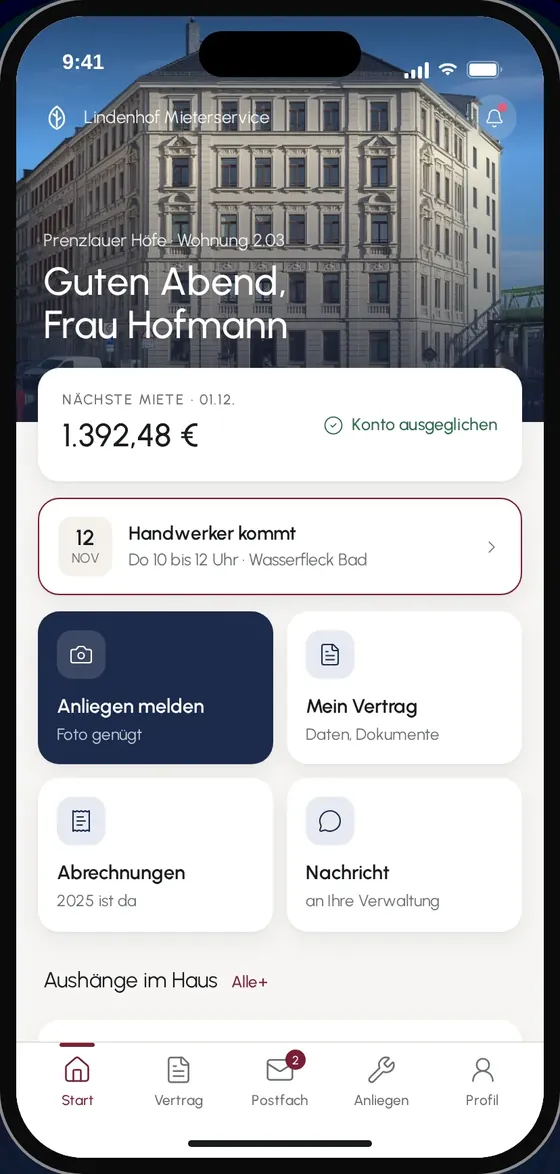
Tenant app
Rent, appointments, requests and documents under the property manager's name.
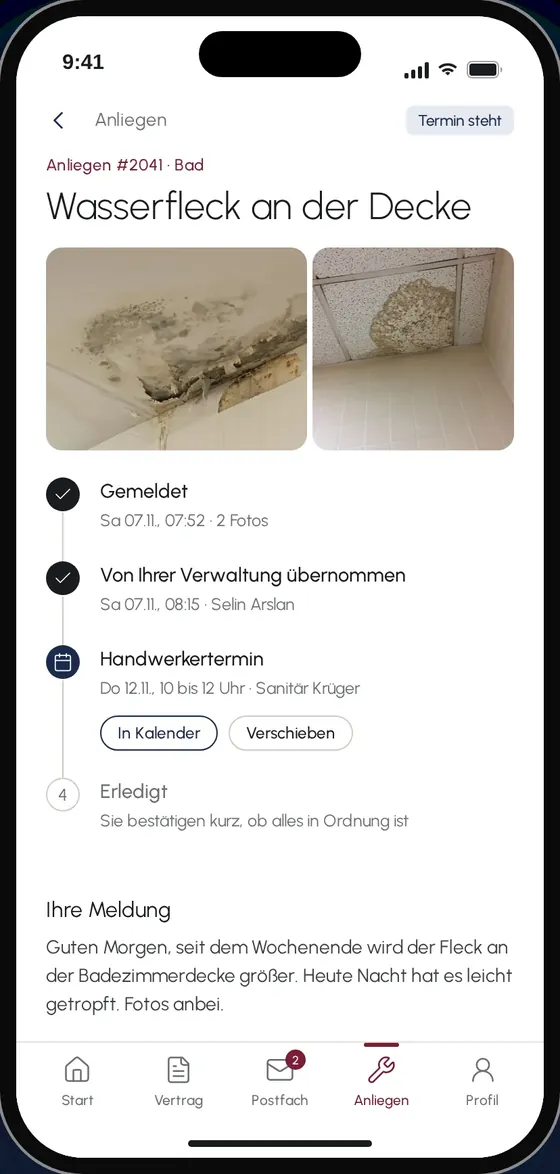
Report an issue
A photo is enough. The request becomes a ticket with a status.
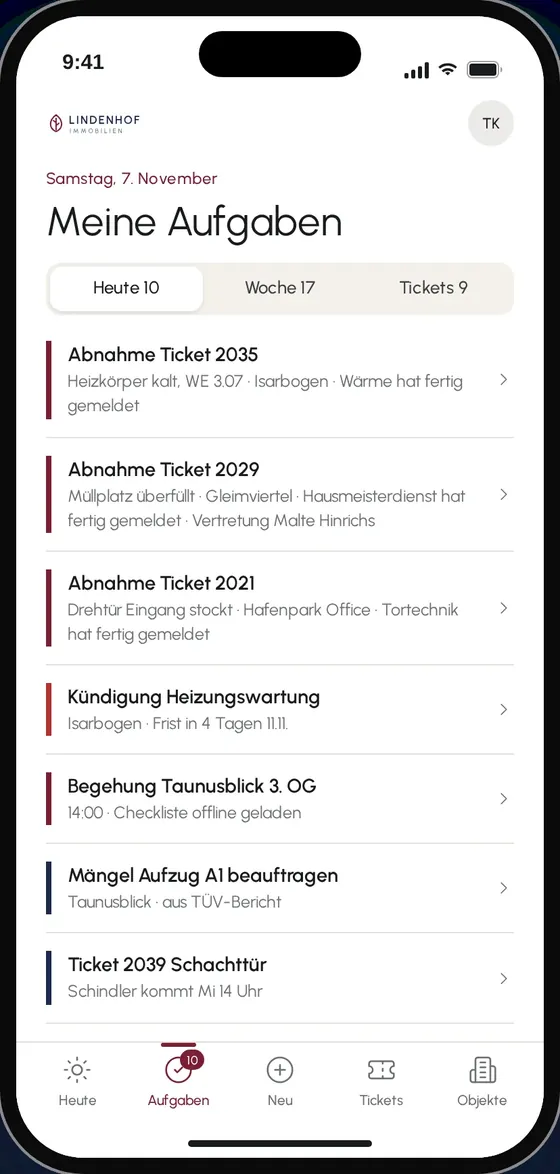
Team app
Tasks, appointments and properties at a glance on the go.
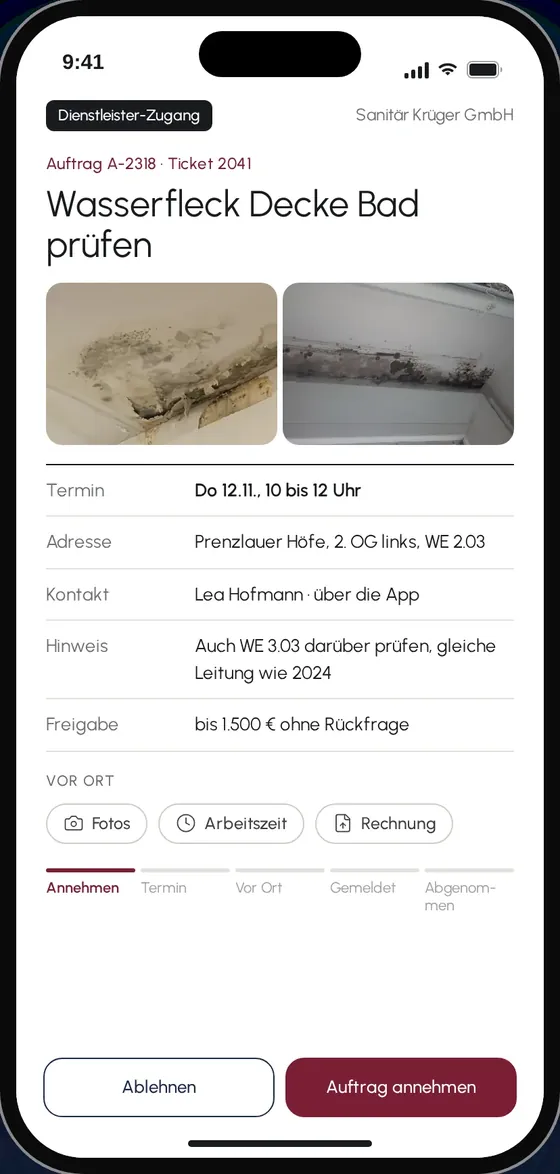
Service providers
Accept jobs, confirm appointments, upload reports.
Building blocks
62 Modules in 8 areas
A core is always included. You choose everything else as needed and add to it later.
Controlling and reports
- Daily briefing and key metrics
- Management dashboard
- Questions about the portfolio
- Owner reports
- Scheduled reports
- My day
- Report updates
Portfolio and contracts
- Clients and mandates
- Properties
- Property file
- Spaces and floor plans
- Leases
- Indexing
- Vacancy and leasing
- Brokerage mandates and commission
- Property file
- Deposits and guarantees
- Contract review
- Mandate takeover and handover
- Mobile property profile
Cases
- Ticketing system with SLA
- Task boards
- Deadlines and follow-ups
- Appointments
- Handover and cover
- Damages and insurance
- Staff turnover
On-site technology
- Site inspection on the iPad
- Apartment handover
- Equipment and inspection obligations
- Service and utility contracts
- Contracts covering multiple properties
- Multiple inspection plans per installation
- Meter register and switching
Finance
- Invoice review with AI
- Quotes and orders
- Budgets, OpEx and CapEx
- Rent accounts and dunning
- Operating cost preparation
- DATEV document export
- Banking integration
- Import validation with cell sources
- Open receivables as of cutoff date
- Tender matching
- CapEx and rent forecast
- Operating costs per contract
- Fee overview
Inbox, documents and AI
- Mailbox with email integration
- Document intake
- Document file
- AI review with source reference
- Integrations
- Letter templates and outgoing mail log
- Confidential documents
Apps and access
- Tenant app
- Service charges in the tenant app
- Team app
- Service provider access
Security and operations
- Roles and permissions
- Change log
- Security and operations
- Approval limits with history
Introduction
From demo to rollout
- 1
Kickoff
We assess your current setup, roles and processes and choose the modules you start with.
- 2
Data migration
Properties, contracts and contacts are imported from your lists and checked, every cell with its source.
- 3
Pilot
Part of the portfolio runs in the new system. Your team does real work, we adjust.
- 4
Rollout
All clients move over. After that, you add modules when it suits you.
Data protection and security
Data stays where it belongs
Hosted in Germany
Application, data and backups are on servers in Germany.
AI without US providers
Documents are read by a language model running on your own server.
Permissions down to the property
Access per client, mandate and property, with two-factor authentication.
Traceable
Every change is logged, approvals with history.
Features
What verwaltung.property can do
Daily briefing
What needs deciding today, across all mandates, with key metrics on target rent, vacancy and open requests.
Questions in plain language
Ask questions about the portfolio and get the answer with its source location in the document.
Leases and index-linked rents
Options, step-ups and CPI-based index adjustments, vacancy up to the letter of intent.
Tickets and deadlines
Ticketing system with response times, task boards and deadlines generated automatically from contracts.
Site inspection with the iPad
Floor plan, photo and voice note on site, apartment handover with signature, inspection duties in view.
Invoice review with AI
Check against quote and budget, approval according to the rules of the client.
Shared inbox
Handle emails as a team, reply suggestions, attachments filed automatically in the record.
Apps for everyone involved
Tenant app under your own name, access for service providers and owners.
Permissions and security
Permissions per client, mandate and property, two-factor sign-in and a complete audit log.
Who it's for
Made for
Asset management
Manage portfolio, reports and budgets across many mandates.
Property management
Stay on top of contracts, deadlines, tenants and service providers.
Technical management
Fully document site inspections, equipment and inspection obligations.
Accounting
Review invoices, manage rent accounts, prepare service charges.
- Asset managers who manage portfolios across many mandates
- Property managers who need to stay on top of contracts, deadlines and tenants
- Technical property management with inspections and mandatory checks
- Accounting and management who approve invoices, budgets and KPIs
Technology
Built with
verwaltung.property
Common questions
Tap a question.
All people, companies, properties and figures in the views are fictitious. Building photos in the views: Wikimedia Commons, including by Dietmar Rabich, Matti Blume, CEphoto/Uwe Aranas and August Geyler (CC BY-SA 3.0/4.0), edited; full credits in the legal notice of verwaltung.property.