
Artificial intelligence
AI that works in everyday use
From a ready-made assistant to your own model on your hardware. We show you the options, choose the right one with you and build it all the way into operations.
Find knowledge
An assistant that knows your documents and answers with sources.Analyze documents
Contracts and invoices are read and imported.Automate workflows
Agents handle routine work, a person approves.AI in the product
Forecasts, summaries and search in your software.
Options
Six ways to AI in your company
Off-the-shelf tool, custom interface, integration, custom model, local or without content filters. Each approach has its place. Often it is a combination.
Off-the-shelf AI tools
Your team works with a ready-made assistant connected to your accounts, files and rules. We choose the right product, set up permissions and data protection, and train your people.
Fits if
- Quick start without custom development
- Writing, research, emails and reports in everyday office work
- Companies already working with Microsoft 365 or Google Workspace
Less suitable
- Workflows that should run fully automatically
- Highly sensitive data that must not leave the building
Examples
- Microsoft 365 Copilot
- ChatGPT Team or Enterprise
- Claude Team or Enterprise
- Gemini for Google Workspace
Our approach
- Capture needs and data types
- Choose a product and plan with a data processing agreement (DPA)
- Set up permissions, storage and policies
- Training with real tasks from your daily work
Data is stored with the provider, depending on the plan with a data processing agreement and no training on your inputs.
Your own AI interface
We build a custom application that uses models from different providers through their APIs. Your data, your rules, your interface. The model behind it can be swapped at any time.
Fits if
- Assistant with your knowledge, your templates and your tone
- Products you want to offer customers
- Multiple models depending on task and cost
Less suitable
- One-off experiments where an off-the-shelf tool is enough
Examples
- Knowledge assistant with source citations
- Editorial tool with fixed rules
- Customer portal with AI answers
- Internal chat with roles and approvals
Our approach
- Define the use case and quality standard
- Connect knowledge: documents, databases, systems
- Permissions, audit log and cost budget per user
- Compare and select models using your examples
You choose per task: cloud model with EU hosting, European provider or local model.
AI in your workflows
AI works where the data originates: it reads emails and receipts, fills fields in your ERP, prepares decisions and flags when a human needs to approve.
Fits if
- Recurring tasks with clear rules
- Many documents, emails or tickets per day
- Systems that are connected by hand today
Less suitable
- Decisions that a human cannot review
Examples
- Sort and assign the inbox
- Extract and pre-assign receipts
- Rate listings and inquiries
- Prepare and answer tickets
Our approach
- Map the process and define checkpoints
- Build tools for the AI: read, search, suggest
- Agent with approval levels and log
- Measure: hit rate, time saved, failure cases
The AI only gets the permissions each step needs. Every action is logged.
Custom models
When standard models aren't enough, we keep training: an open model tuned to your style and formats, a small model that learns from a large one, or a classic model for forecasts from your figures.
Fits if
- Fixed formats, technical language or tone at high volume
- Forecasts from time series, prices or measurements
- Cut costs when a large model gets too expensive
Less suitable
- Knowledge that changes often: retrieval from documents (RAG) is better for that
- Little sample data
Examples
- Price forecasts for commodities
- Document classification
- Small model for forms that runs locally
- Custom embedding for technical terms
Our approach
- Define the goal and metric
- Collect, clean and review training data
- Training with LoRA or full fine-tuning
- Comparison against a standard model on test data
The training data and the finished model belong to you and can run entirely on your infrastructure.
Local models
Open models run on a computer on your premises or on a server in Germany. Nothing goes to an AI provider, not even for a moment.
Fits if
- Contracts, personnel, health and financial data
- Labs, law firms, medical practices and public administrations
- Operation without an internet connection
Less suitable
- Tasks that need the most powerful model available
- Very many concurrent users without suitable hardware
Examples
- Contract review in property management
- Analysis in the research lab
- Receipt recognition in accounting
- Knowledge search in internal files
Our approach
- Test models with your documents
- Choose hardware to match the model size
- Set up runtime, access and logging
- Updates and model changes in operation
Data never leaves your network. This greatly simplifies data protection and data processing agreements.
Models without content filters
Large cloud models refuse some requests, including legitimate ones. Open models with reduced refusals handle such content. We use them only for clearly defined purposes, locally and with our own guardrails.
Fits if
- Security research and audit reports
- Moderation and analysis of problematic content
- Medical, legal and forensic texts
- Fiction and games with adult themes
Less suitable
- Anything illegal or harmful to third parties
- Use without logs, roles or responsible owners
Examples
- Red teaming your own AI systems
- Classification of hate speech and fraud attempts
- Analysis of chat histories in investigations
- Technical texts without overfiltering
Our approach
- Define purpose and legal basis in writing
- Select a model and run it locally
- Custom guardrails: classifier, roles, log
- Regular review of outputs
Run exclusively locally or on your own server, never via public endpoints.
Comparison
The options compared
Our assessment from projects. Three dots means: particularly strong in this area.
Providers and models
We are not tied to any provider
We choose the right model for each task based on quality, data protection and cost. An overview of the providers and tools we choose from for you.
Major model providers
The strongest models for text, code, images and speech, via API or as a ready-made product.
 OpenAIUSAGPT models, image and speech, also via Microsoft Azure in EU data centers.
- AnthropicUSAClaude models, strong with long documents, code and agents. Also available via AWS and Google Cloud.
- GoogleUSAGemini models with very large context, also in EU regions via Vertex AI.
- Mistral AIFranceEuropean provider with open and commercial models, including for self-hosting.
Cloud platforms with EU hosting
The same or open models, run in data centers in Europe, with a contract under European law.
 Microsoft AzureUSA, EU regionsOpenAI models and open models in European data centers.
 AWS BedrockUSA, Frankfurt regionClaude, Llama, Mistral and more through a single API.
- Google Vertex AIUSA, EU regionsGemini, Claude and open models with data residency in the EU.
- IONOSGermanyOpen models in the AI Model Hub, hosted in Germany.
 STACKITGermanySchwarz Group cloud with hosting of open models in Germany.
- OVHcloudFranceAI Endpoints with open models in European data centers.
- ScalewayFranceGenerative APIs with open models in Europe.
Open model families
Models with openly available weights. They run locally, on your own server or with a host of your choice.
- LlamaMetaWidely used family ranging from small to very large models.
- MistralMistral AIEfficient models, good at German, some under the Apache 2.0 license.
- QwenAlibabaStrong models for text, code and images in many sizes.
- GemmaGoogleCompact open models, good for devices and small servers.
- DeepSeekDeepSeekPowerful models for reasoning and code, open weights.
- gpt-ossOpenAIOpen models from OpenAI for self-hosting.
Interfaces, runtimes and tools
What we use to connect models, run them locally and build them into processes.
- OpenRouterInterfaceMany models through one interface, with cost control.
- OllamaTermRun open models locally, ideal for single servers and Macs.
- vLLMTermHigh throughput for many concurrent users on GPU servers.
- LM StudioDesktopTest models on your own computer, no programming needed.
- Hugging FaceModel catalogThe central platform for open models and datasets.
- n8nAutomationWorkflows with AI building blocks, self-hosted.
- pgvectorVector searchSemantic search directly in PostgreSQL.
- LangChainFrameworkBuilding blocks for retrieval, tools and agents.
- PyTorchTrainingFoundation for fine-tuning and custom models.
- DeepLTranslationTranslation from Germany via API.
- GitHub CopilotDevelopmentAI coding assistance for development teams.
Stay independent
The model is interchangeable
A dedicated layer sits between your application and the model. New models arrive every month. You benefit from them without rebuilding.
- One model per task: large for writing, small and cheap for sorting
- Fallback model if a provider goes down
- Test set with your examples before every switch
- Costs visible per task, user and tenant
import OpenAI from "openai";
// Cloud, Aggregator oder lokal: nur Adresse und Modell ändern sich
const llm = new OpenAI({
baseURL: process.env.LLM_BASE_URL, // z. B. OpenRouter, vLLM oder Ollama
apiKey: process.env.LLM_API_KEY,
});
const res = await llm.chat.completions.create({
model: process.env.LLM_MODEL!,
messages: [
{ role: "system", content: "Antworte nur mit Quelle aus den Unterlagen." },
{ role: "user", content: frage },
],
});
Technology
What good AI solutions are made of
The language model is only one part. These building blocks are what turn it into something your team can rely on.
Retrieval with source (RAG)
The AI searches your documents for relevant passages and answers with a source instead of from memory.
Vector search
Text is stored by meaning, so different wordings are found too.
Tools and MCP
The AI calls defined functions, such as finding customers or creating appointments, via APIs or the Model Context Protocol.
Agents with approval
Multi-step tasks run on their own, critical steps wait for a human.
Structured outputs
Responses come as validated JSON so your software can use them directly.
Documents and text recognition
Scans, PDFs and spreadsheets are read, including handwriting and forms.
Language
Calls and voice notes are transcribed, summarized or read aloud.
Images
Analyze photos, detect defects, generate or adjust product images.
Assessment
Test sets with real examples measure quality before every model change.
Guardrails
Filters for inputs and outputs, protection against prompt injection, no secrets in the context.
Costs and monitoring
Budget per user or tenant, analysis of tokens, latency and errors.
Forecasts
Classical models for time series, prices and demand, where language models are the wrong choice.
Local or cloud
The right model for your data
Local on your hardware
- Data stays in-house
- No training on your data
- Ideal for contracts, health and HR data
- In use in property management and the lab
Large models in the cloud
- Maximum performance for text and analysis
- Ready to go fast
- Ideal for public data, marketing and research
- In use for forecasts and editorial work
What hardware for local models?
Guideline values for quantized models. We test with your documents before you buy hardware.
Mac mini or Mac Studio
Quiet, efficient, shared memory for models. Good for an office or a lab.
- Models
- small to medium models
- Users
- one to a few users
Workstation with a graphics card
A powerful graphics card in the computer under the desk or in the server room.
- Models
- small to medium models, fast
- Users
- one team
GPU servers
One or more data center GPUs, in your own rack or rented in Germany.
- Models
- large open models
- Users
- many at the same time
Unrestricted models
Models without content filters, with clear rules
Some tasks fail on the filters of large models even though they are legitimate: security testing, moderation, forensic analysis or medical texts. For these, there are open models with fewer refusals. We use them, but never without guardrails.
- 01
Base models
Models before chat training. They continue text and know no refusals, but need good examples in the prompt.
- 02
Customized variants
Open models whose refusal behavior has been reduced through fine-tuning or through targeted interventions in the weights.
- 03
Custom fine-tuning
An open model that we train for your purpose, with your rules instead of generic filters.
What they are useful for
- Security research and audit reports
- Moderation and analysis of problematic content
- Medical, legal and forensic texts
- Fiction and games with adult themes
What you need to know
- The models will also generate harmful or false content if asked to
- Without guardrails, there is no protection against misuse by users
- Quality and origin of modified variants vary widely
- Legal obligations remain with you: data protection, criminal law, EU AI Act
Our guardrails
- Purpose in writing
- Local only
- Roles
- Custom filter
- Log
We do not build systems for fraud, malware, surveillance of individuals without a legal basis, depictions of abuse or other unlawful purposes.
Approach
From use case to everyday use
- 01
Find a use case
We look for the place where AI takes the most work off your hands.
- 02
Prototype with real data
Within a few days, you'll see how well it works with your documents.
- 03
Measure
We check accuracy and time savings before we expand.
- 04
Into everyday use
Integration into your systems, with human approval where needed.
Legal and data protection
Use it with legal certainty
We build the requirements in from the start. This does not replace a legal assessment of the individual case; for that, we work with your data protection and legal advisors.
GDPR
Data processing agreements with every provider, review of third-country transfers, deletion periods and data subject access, including for AI data.
EU AI Act
The obligations have applied in stages since 2025. We classify your use case: labeling, documentation, high-risk or not.
AI skills in the team
Companies using AI must ensure their staff have sufficient AI literacy. We train with your real tasks.
No training on your data
We choose plans and settings where inputs are not used for training, or we run models ourselves.
In use
AI in our projects
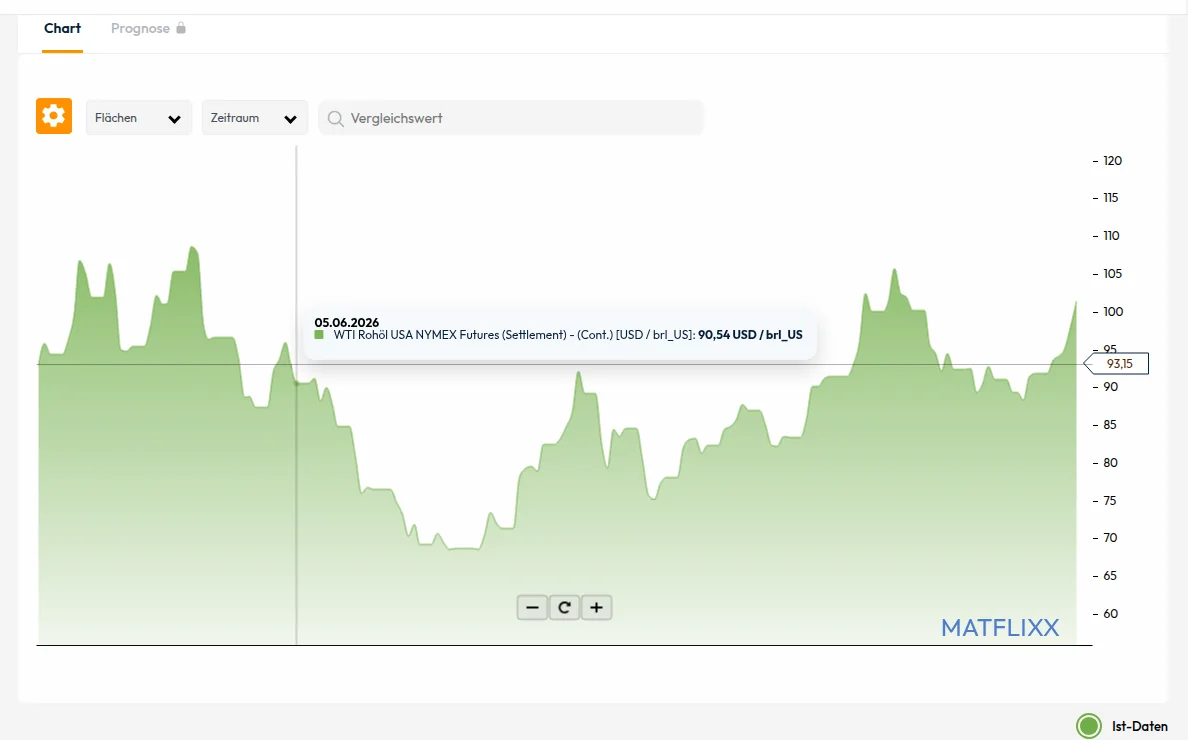
Matflixx
Price forecasts for numerous commodities
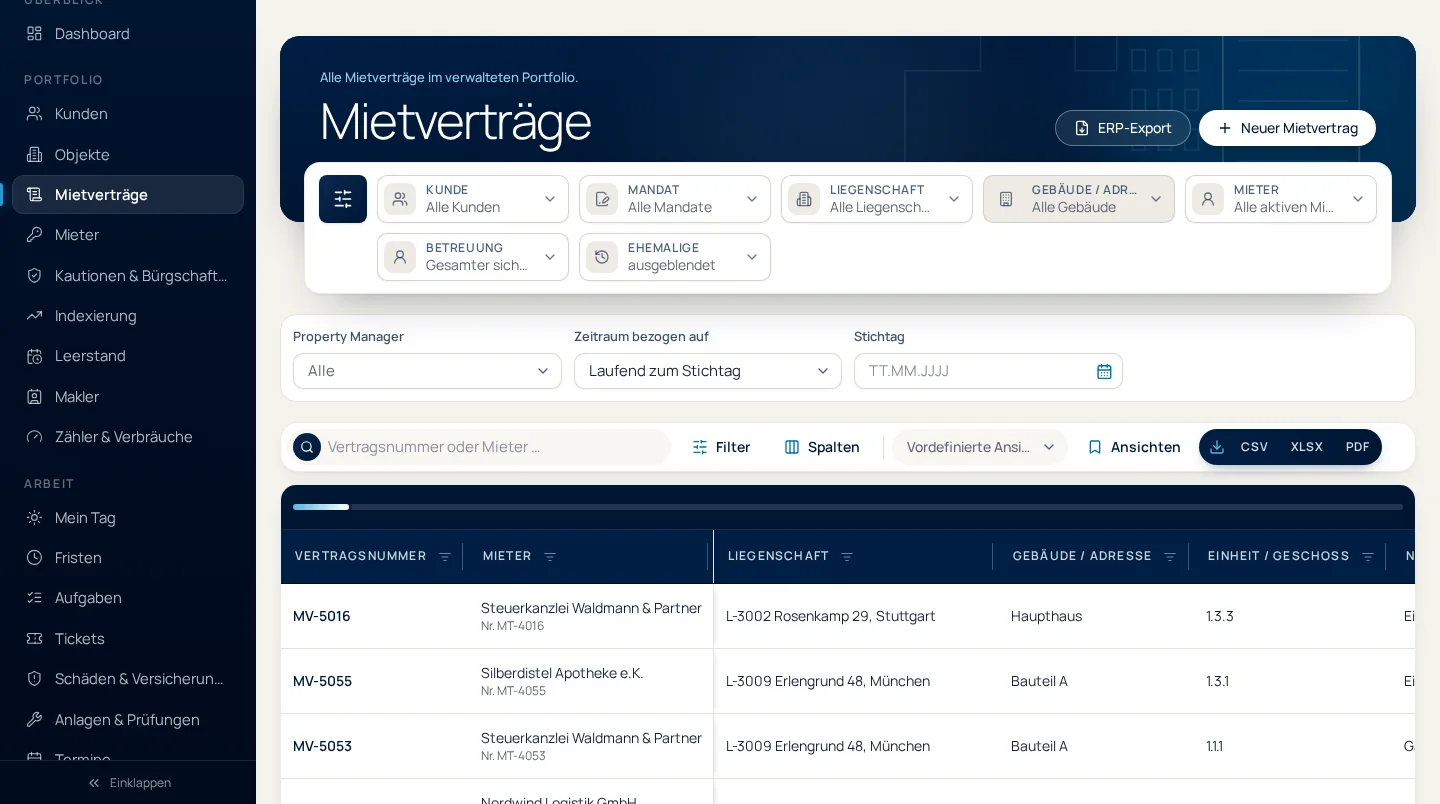
Property management platform
Local AI reads contracts and invoices, with source and text passage
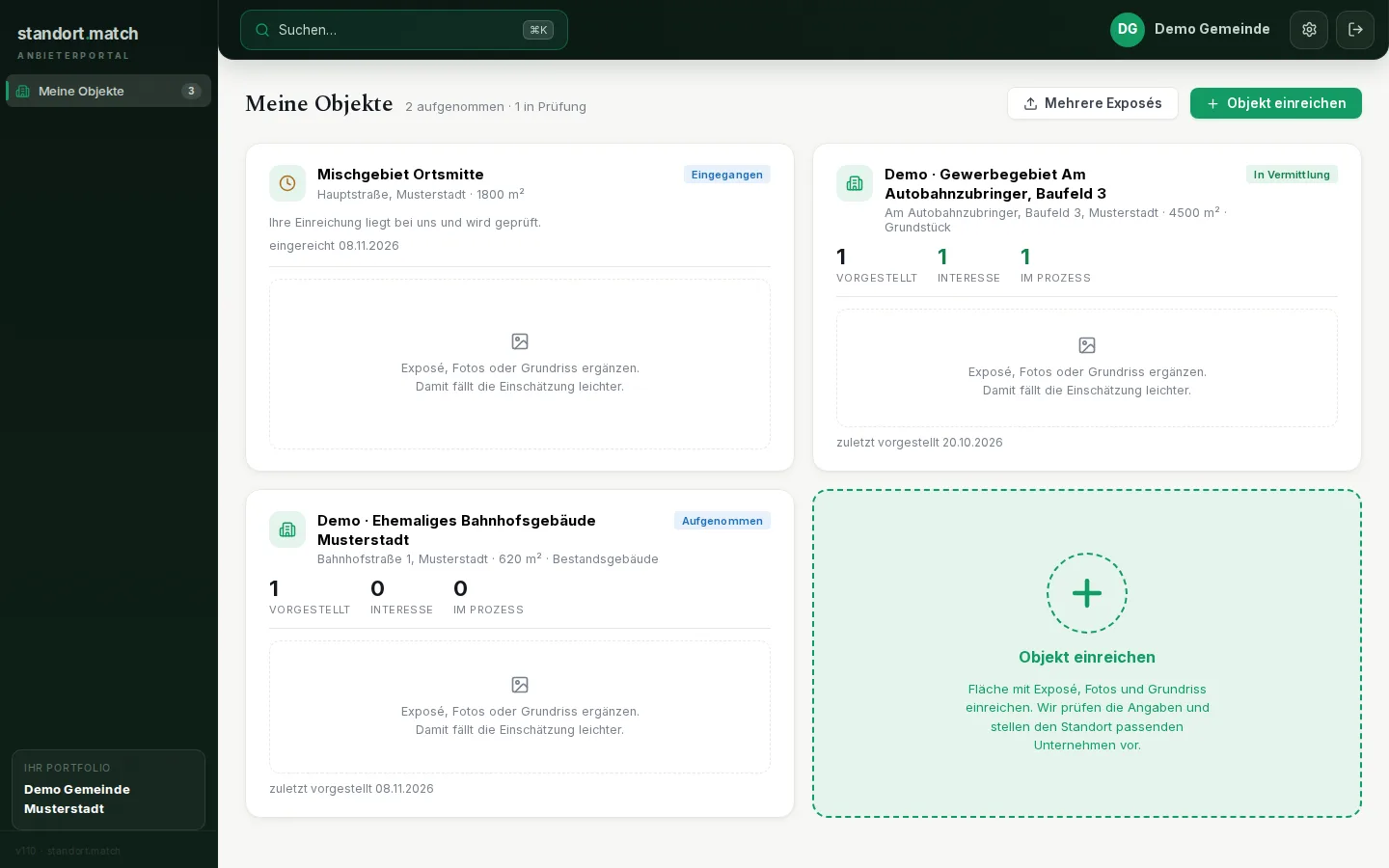
Standort Match
AI sorts the inbox and extracts location data from emails
AI newsroom
An editorial contract defines style, reported speech and source attribution
Measurement data infrastructure
Local language model on the hardware in the lab
Principles
How we build AI
- Data protection built in from the start
- Models chosen to fit the use case
- A human stays in control of critical steps
- Benefits are measured, not claimed
Portfolio
10 Products with AI
Energy & commodities
Matflixx
Commodity prices, news and AI forecasts for procurement, with an Excel add-in and API.
- Web
- Backend
- AI
Media & publishing
Editorial system for trade publishers
From incoming news to print PDF: topic planning, page editor and AI assistant with validation rules, for multiple magazines.
- Web
- Backend
- AI
Media & publishing
Audio dramas from children's ideas
A child's idea becomes a complete audio drama. Parents approve every episode.
- iOS
- iPad
- Backend
- AI
Real estate
Property management platform
Files, contracts, deadlines and invoices in one system, with tenant portal and local AI.
- Web
- Backend
- AI
Tourism
Guest concierge
App for vacation rental hosts: the AI answers guest questions only with verified information.
- iOS
- Android
- AI
Medicine & research
Measurement data infrastructure
Ten lab devices, one archive, analysis in dashboards. No cloud.
- macOS
- Backend
- AI
Legal & Compliance
Accessibility scanner
Checks websites against the German Accessibility Act (BFSG); an agent walks through real customer journeys.
- Web
- AI
Finance
Accounting assistant
Capture receipts, bank transactions and travel expenses, and the AI makes reviewable suggestions.
- Web
- AI
AI tools
Your own AI work platform
Agents that look after projects, emails and servers. We use them ourselves every day.
- Backend
- macOS
- AI
AI tools
Gateway for AI agents
Gives AI agents secure access to services via MCP and API.
- Web
- Backend
- AI
Artificial intelligence
Common questions
Tap a question.